














| index.html |
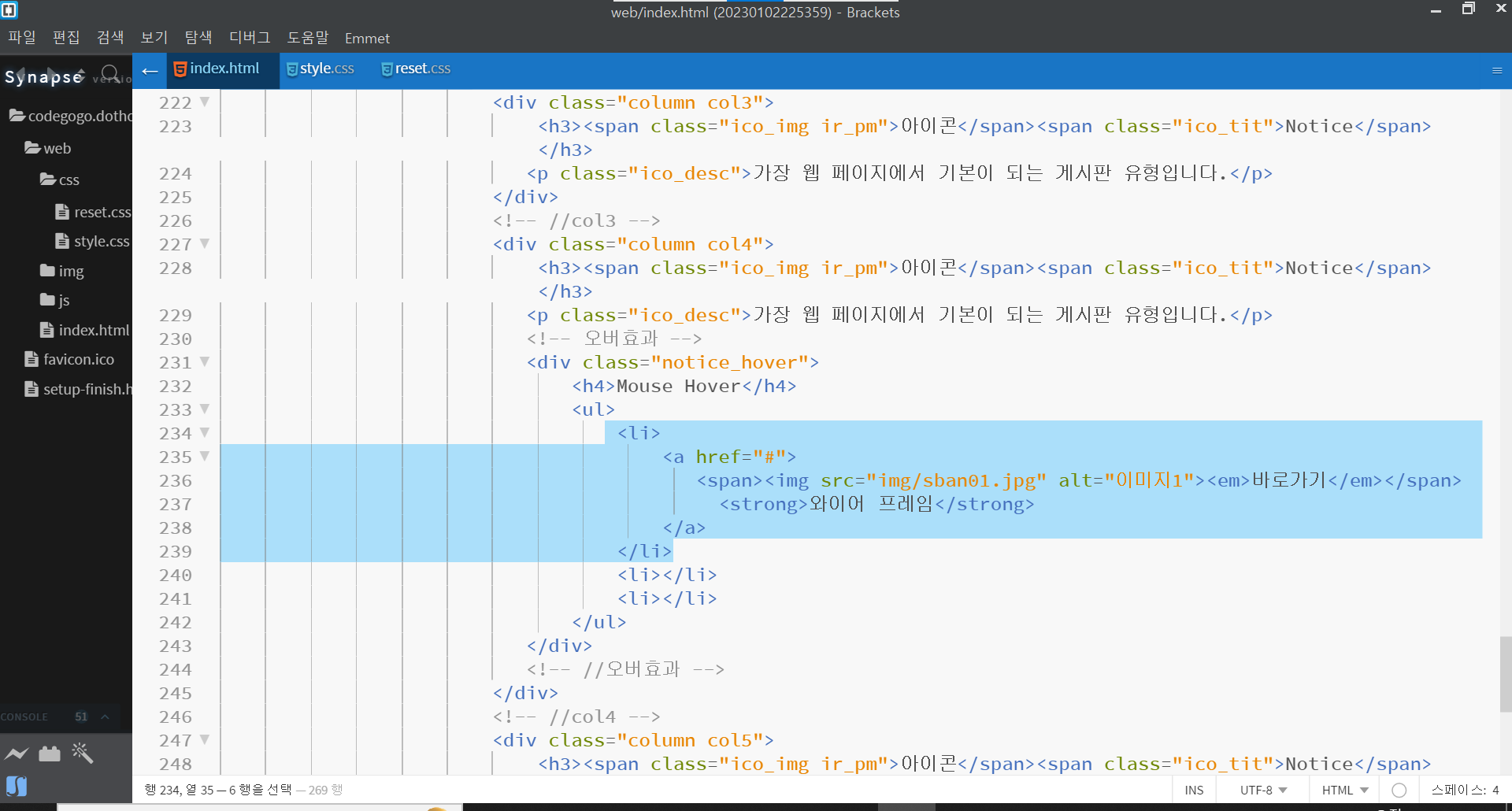
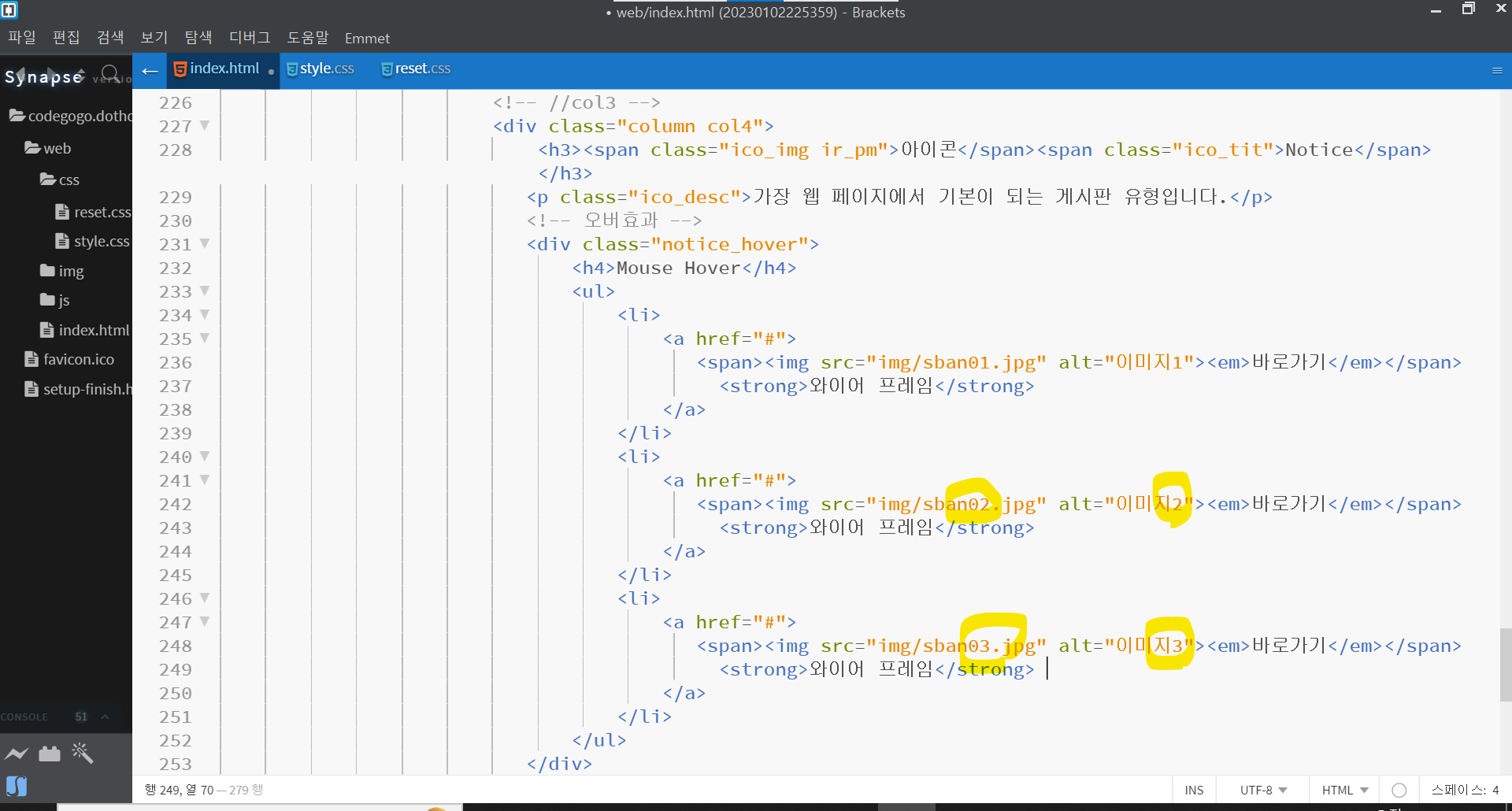
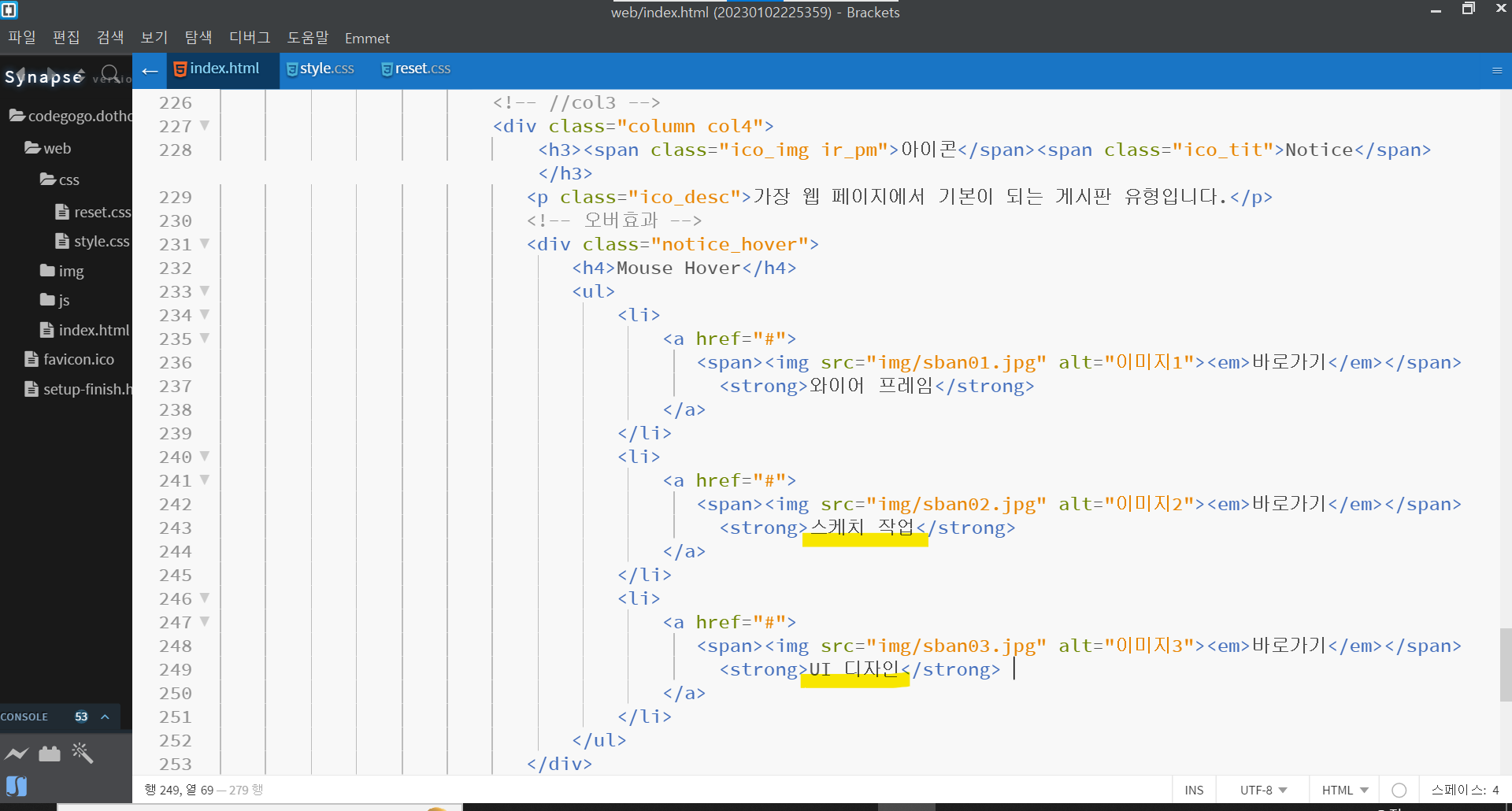
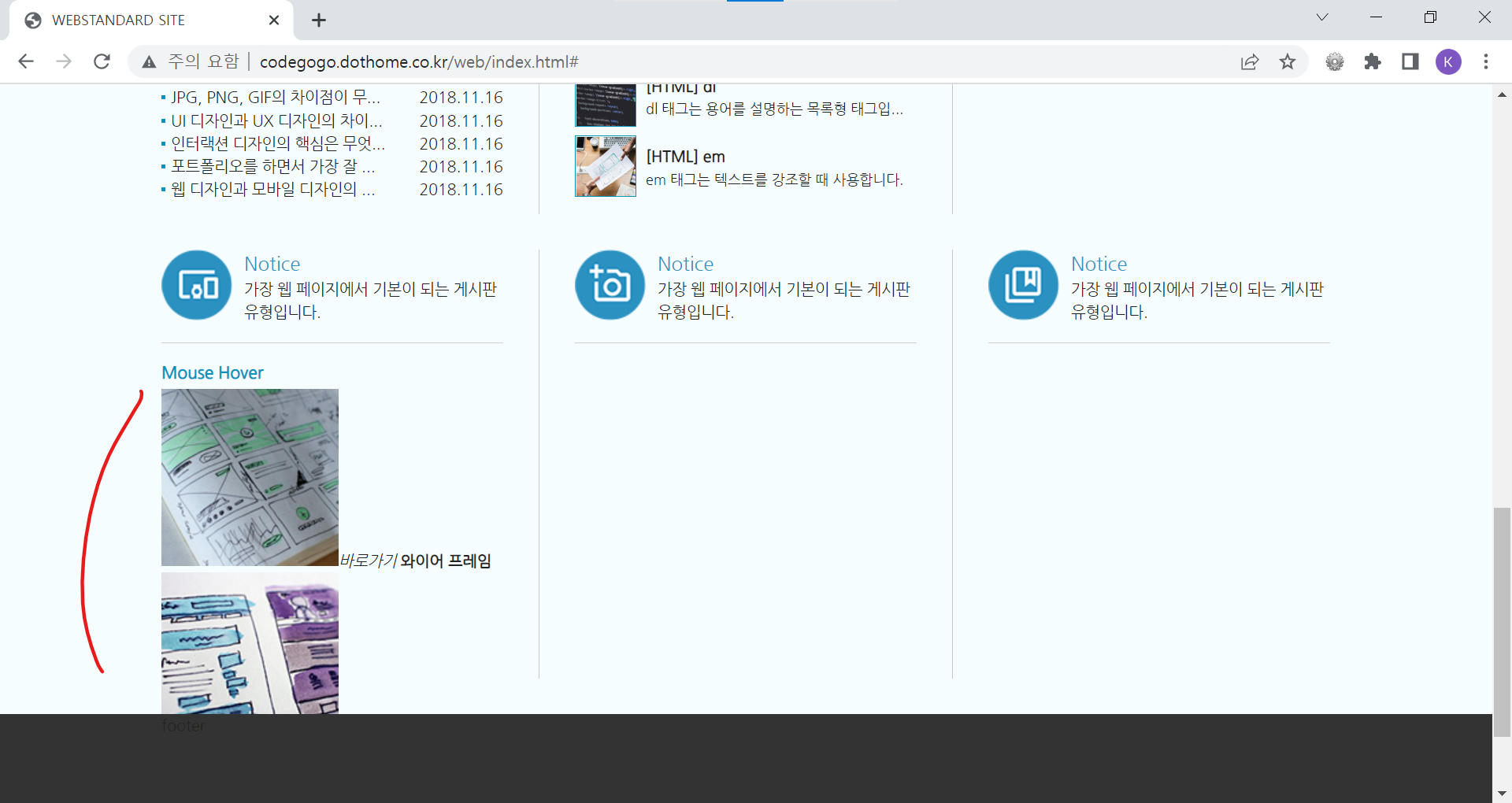
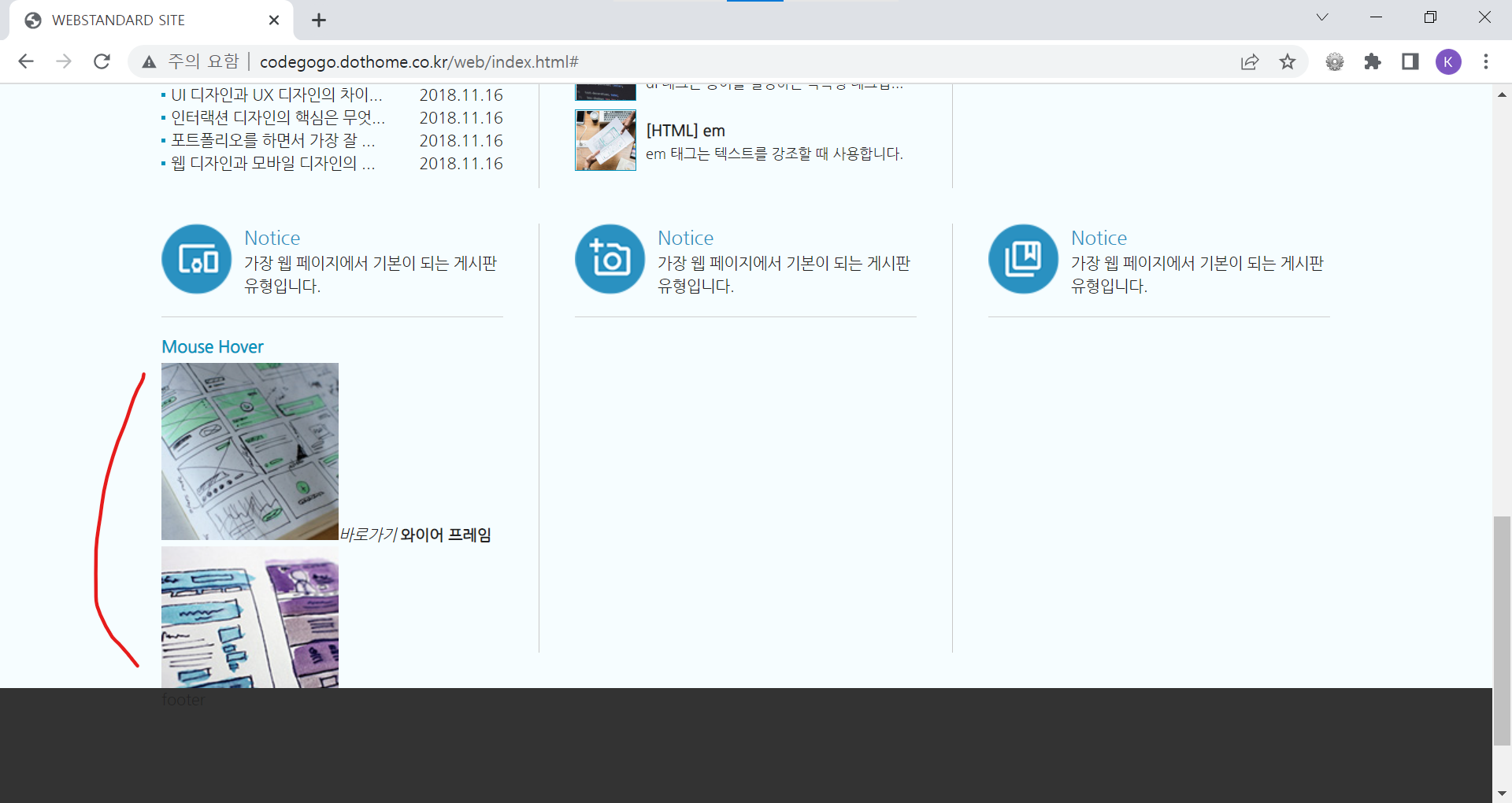
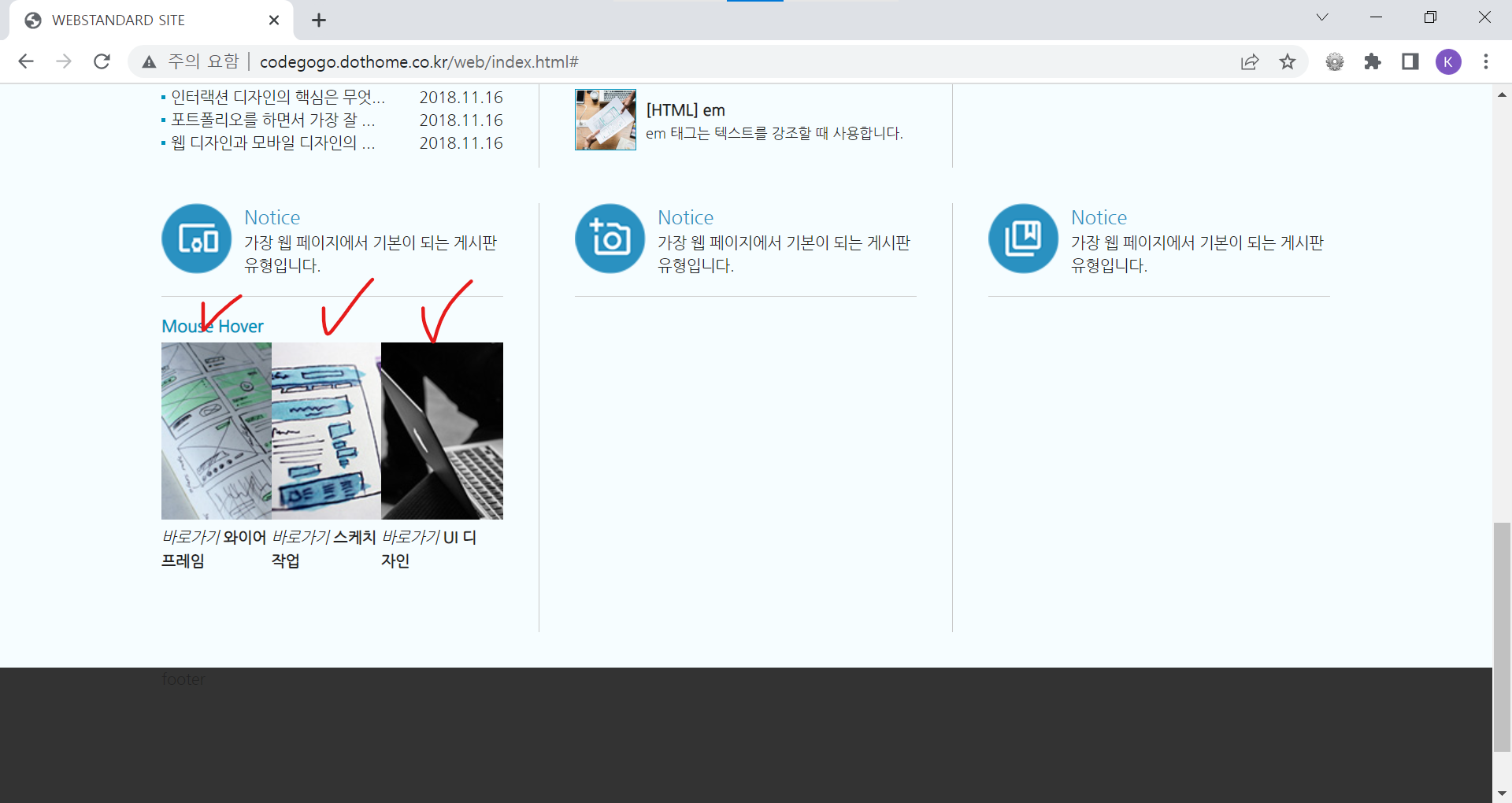
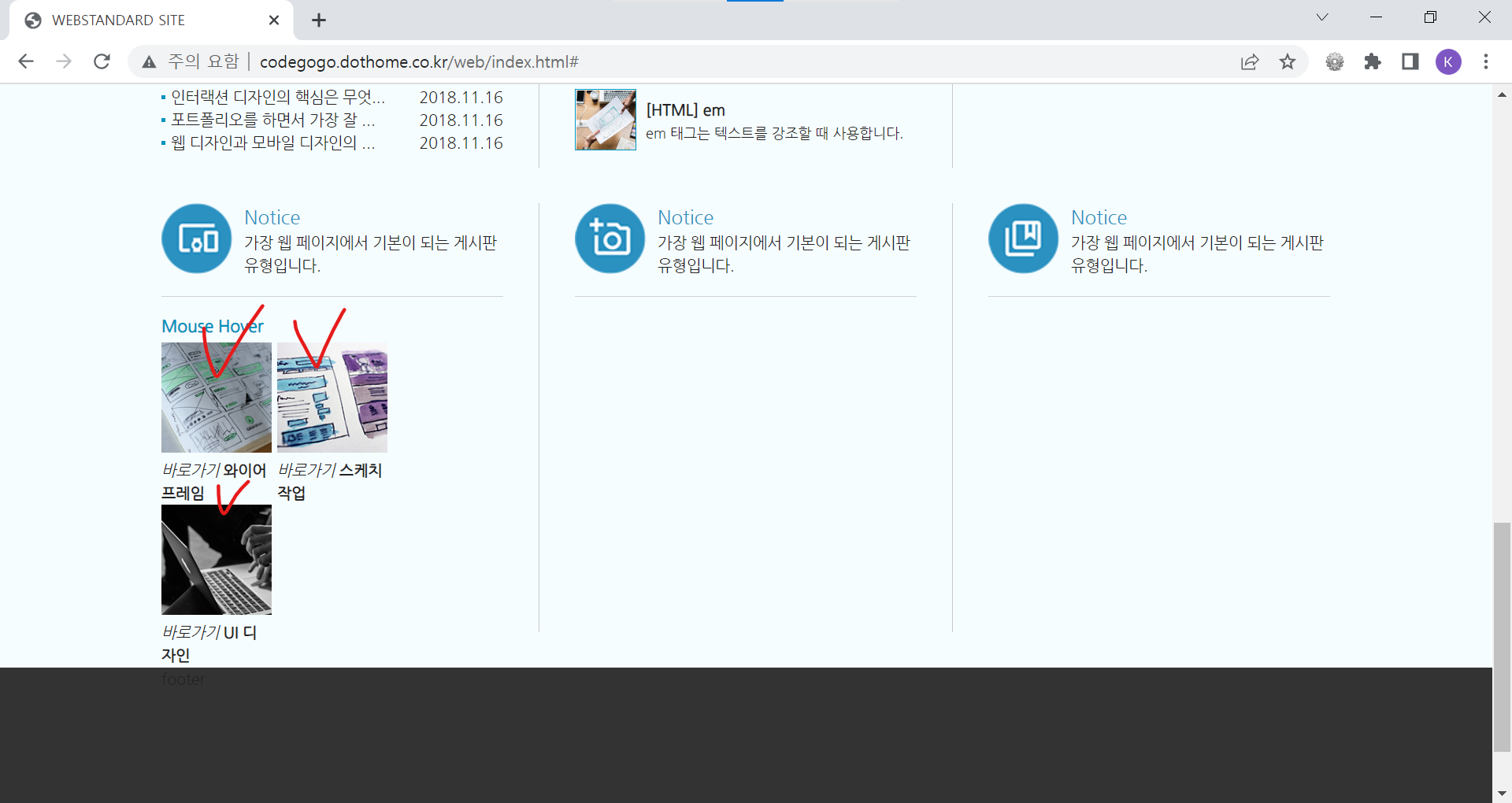
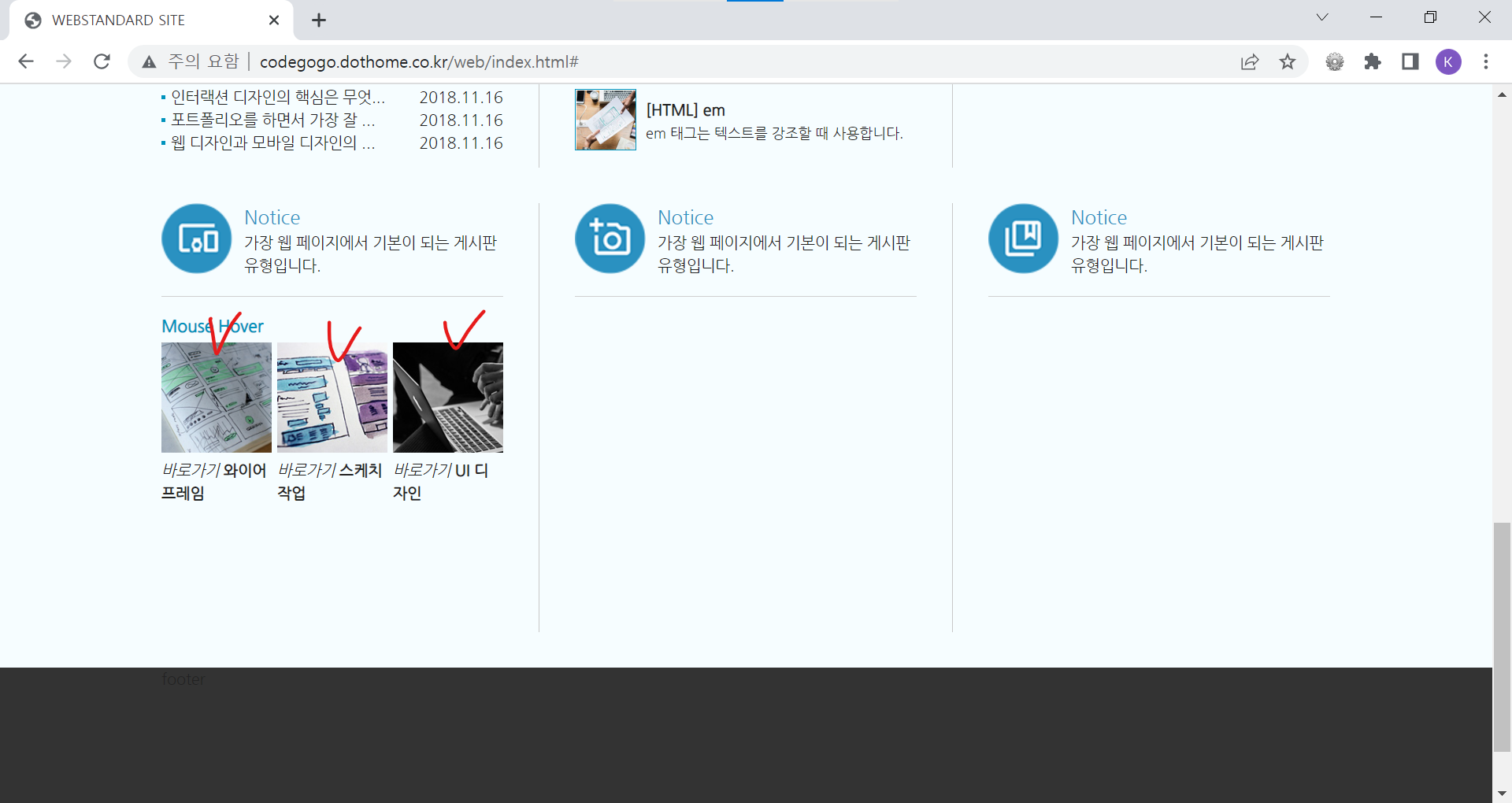
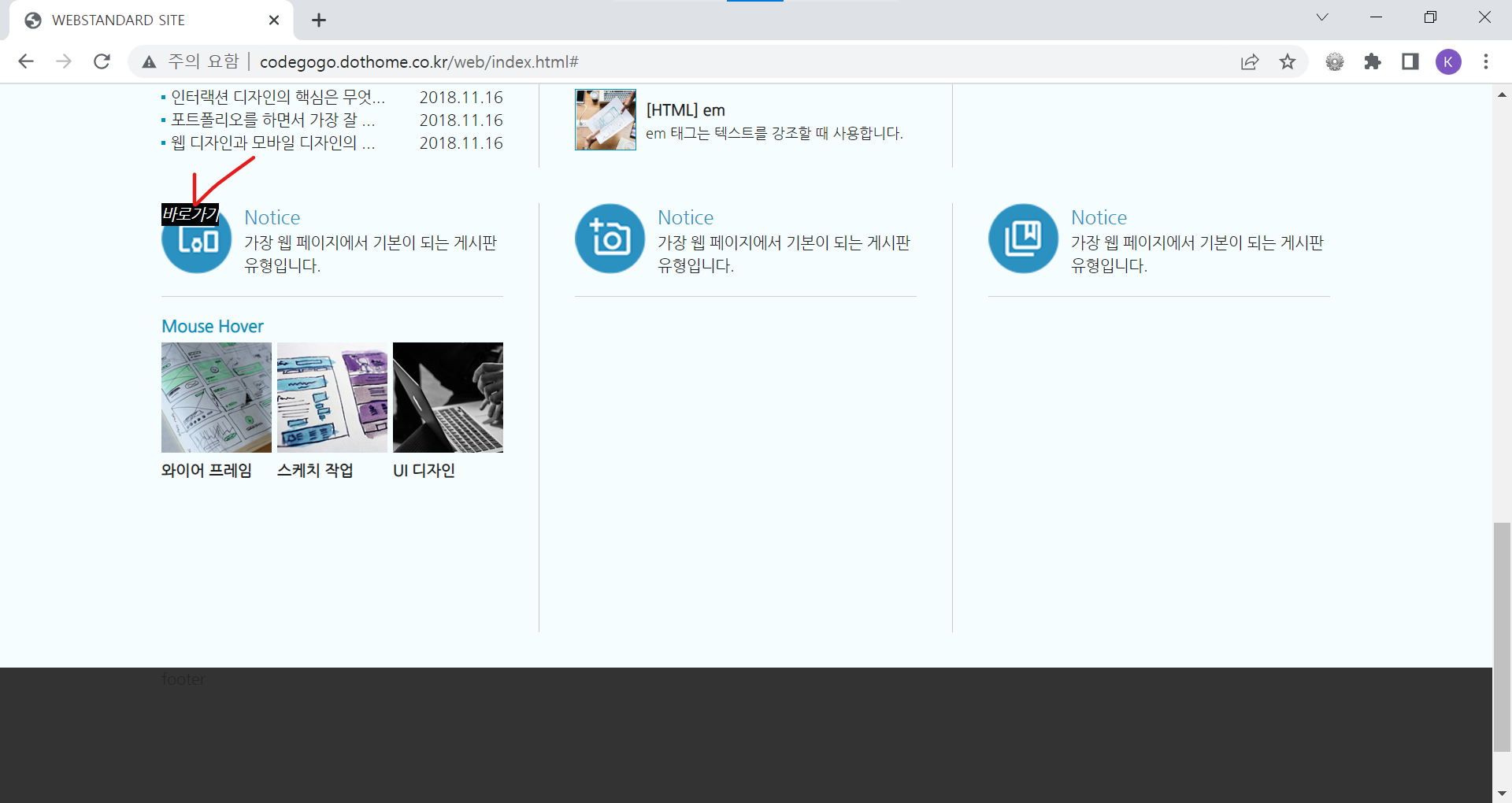
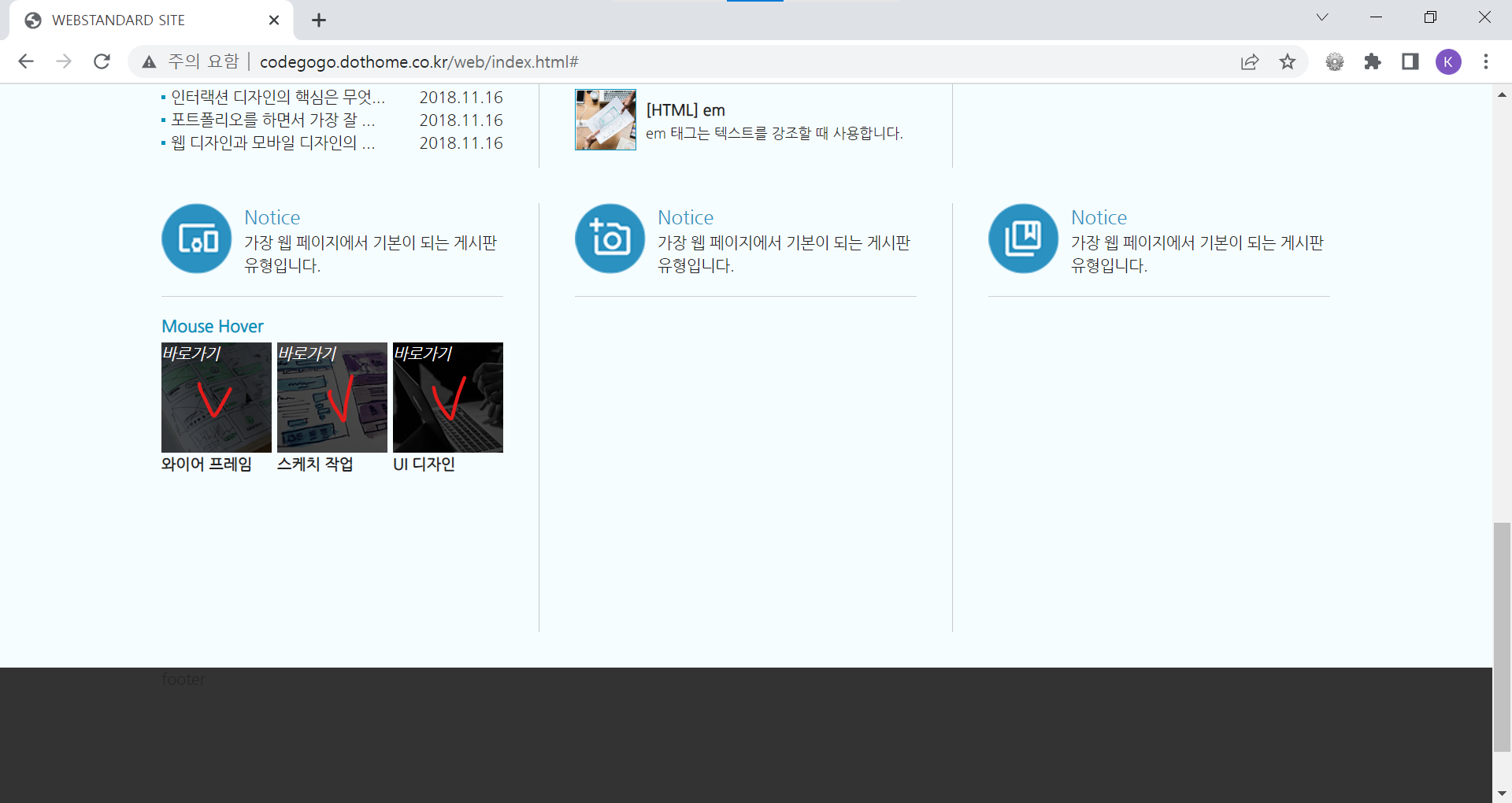
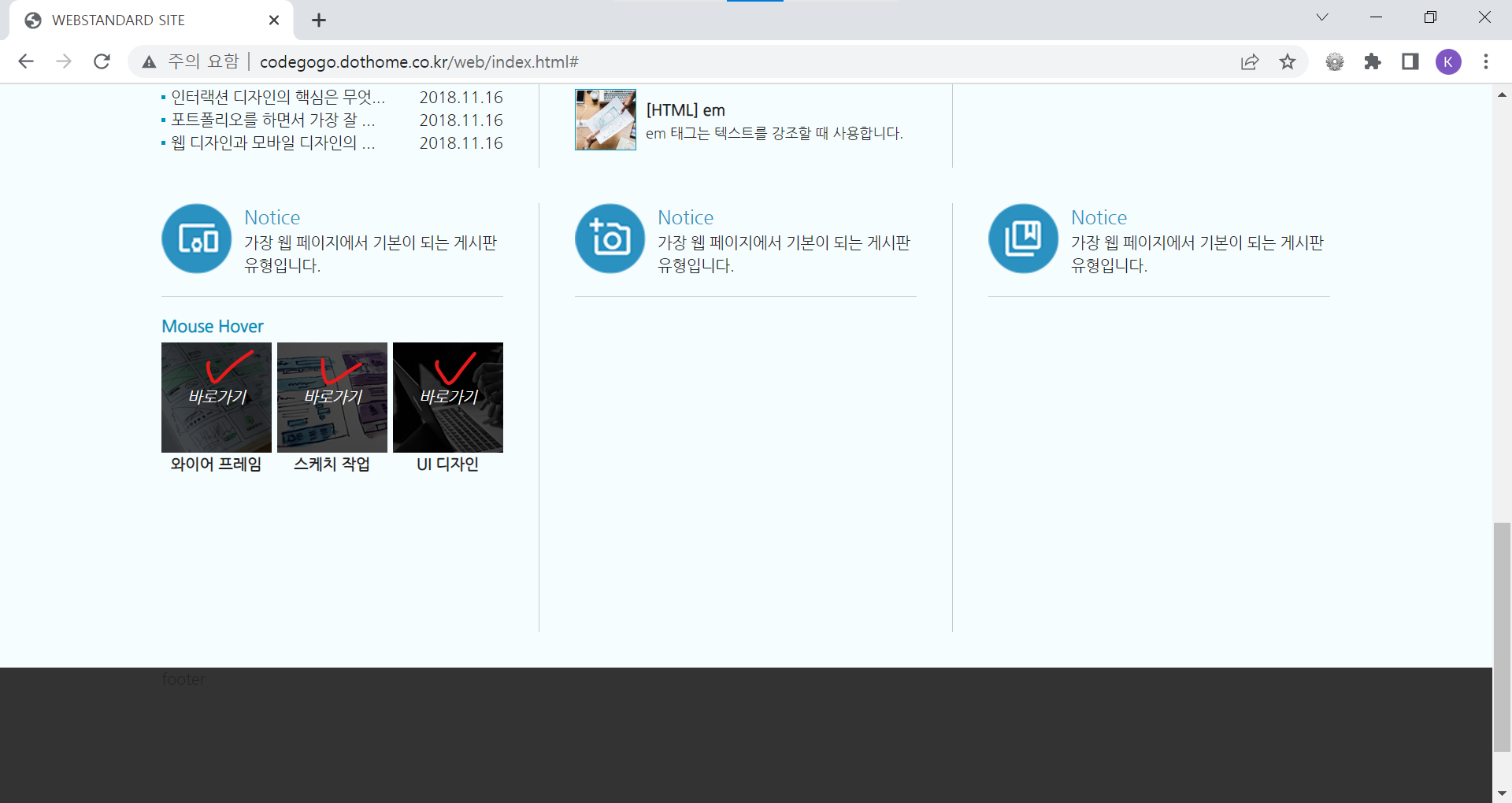
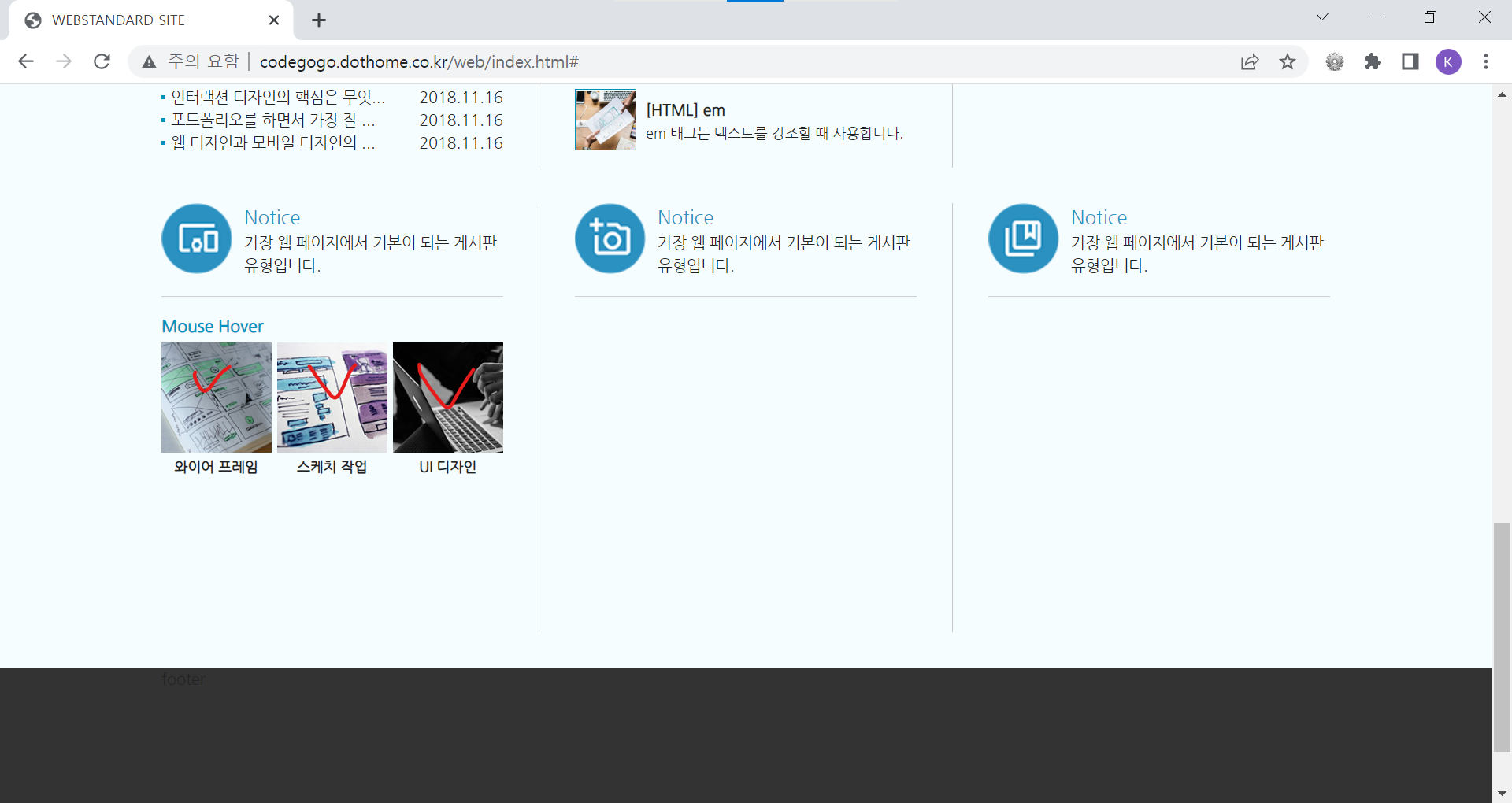
| <!DOCTYPE html> <html lang="ko"> <head> <meta charset="UTF-8"> <meta name="author" content="codegogo"> <meta name="description" content="웹 표준을 준수한 사이트 예제입니다."> <meta name="keywords" content="코드고고, 웹표준, 웹접근성, 사이트 만들기"> <meta name="generator" content="brakets"> <title>WEBSTANDARD SITE</title> <!-- CSS STYLE --> <link rel="stylesheet" type="text/css" href="css/reset.css"> <link rel="stylesheet" href="css/style.css"> <!-- 웹 폰트 --> <link href="https://fonts.googleapis.com/css2?family=Nanum+Gothic&display=swap" rel="stylesheet"> <link href="https://fonts.googleapis.com/css2?family=Nanum+Brush+Script&family=Nanum+Gothic&display=swap" rel="stylesheet"> </head> <body> <!-- 스킵 내비게이션 --> <div id="skip"> <a href="cont_nav">전체 메뉴 바로가기</a> <a href="cont_ban">배너 영역 바로가기</a> <a href="cont_cont">컨텐츠 영역 바로가기</a> </div> <!-- //스킵 내비게이션 --> <div id="wrap"> <div id="header"> <div class="container"> <div class="header"> <div class="header-menu"> <a href="https://codegogo.tistory.com/">Desinger</a> <a href="https://www.inflearn.com/course/%EC%9B%B9-%ED%91%9C%EC%A4%80-%EC%82%AC%EC%9D%B4%ED%8A%B8-%EB%A7%8C%EB%93%A4%EA%B8%B0">Publisher</a> <a href="https://www.youtube.com/">Youtube</a> </div> <!-- //헤더 메뉴 --> <div class="header-tit"> <h1>Professional Publisher & Designer</h1><br> <a href="http://codegogo.dothome.co.kr/web">codegogo.dothome.co.kr/web</a> </div> <!-- //헤더 타이틀 --> <!-- 이미지를 표현하는 방법 1. img 태그로 표현(의미가 있을 때) / alt 태그 - 대체 문자 표현 2. background 속성으로 표현(의미가 없을 때) - 대체 문자 x 3. 이미지를 background 속성 - 웹 표준 준수하기 위해서는 가상으로 대체 문자를 만들어줌(IR 효과) 이미지 스프라이트 효과 --> <div class="header-icon"> <a href="#" class="icon1"><span class="ir_pm">icon1</span></a> <a href="#" class="icon2"><span class="ir_pm">icon2</span></a> <a href="#" class="icon3"><span class="ir_pm">icon3</span></a> <a href="#" class="icon4"><span class="ir_pm">icon4</span></a> </div> <!-- //헤더 아이콘 --> </div> </div> </div> <!-- //header --> <div id="contents"> <div id="cont_nav"> <div class="container"> <h2 class="ir_su">전체 메뉴</h2> <div class="nav"> <div> <h3>HTML Reference</h3> <ol> <li><a href="#">HTML 태그(Tag)</a></li> <li><a href="#">블록 요소/인라인 요소</a></li> <li><a href="#">DTD 선언</a></li> <li><a href="#">언어 속성 설정</a></li> <li><a href="#">HTML <title></a></li> <li><a href="#">HTML <meta></a></li> <li><a href="#">특수문자</a></li> <li><a href="#">하이퍼 링크</a></li> <li><a href="#">HTML <style></a></li> <li><a href="#">HTML <html></a></li> <li><a href="#">HTML <head></a></li> <li><a href="#">HTML <div></a></li> <li><a href="#">HTML <colgroup></a></li> <li><a href="#">HTML <caption></a></li> </ol> </div> <div> <h3>CSS Reference</h3> <ol> <li><a href="#">CSS 선택자</a></li> <li><a href="#">CSS 단위</a></li> <li><a href="#">CSS 색상</a></li> <li><a href="#">CSS 선언 방법</a></li> <li><a href="#">상대주소와 절대주소</a></li> <li><a href="#">CSS float</a></li> <li><a href="#">이미지 표현 방법</a></li> <li><a href="#">이미지 스프라이트</a></li> <li><a href="#">IR 효과</a></li> <li><a href="#">이미지 최적화</a></li> <li><a href="#">background-color</a></li> <li><a href="#">border-style</a></li> <li><a href="#">font-size</a></li> <li><a href="#">text-align</a></li> </ol> </div> <div class="last"> <h3>Webstandard</h3> <ol> <li><a href="#">웹 표준</a></li> <li><a href="#">웹 접근성</a></li> <li><a href="#">W3C</a></li> <li><a href="#">웹 접근성 연구소</a></li> <li><a href="#">네이버 널리</a></li> <li><a href="#">다음 다룸</a></li> <li><a href="#">Webstandard</a></li> </ol> </div> </div> </div> </div> <!-- //cont_nav --> <div id="cont_tit"> <div class="container"> <div class="tit"> <h2>나는 퍼블리셔다!</h2> <a href="#" class="btn"><span class="ir_pm">전체메뉴</span></a> </div> </div> </div> <!-- //cont_tit --> <div id="cont_ban"> <div class="container"> <div class="ban"> <a href="#" class="prev"><span class="ir_pm">이전 이미지</span></a> <ul> <li class="ban_img1"><a href="#"><img src="img/banner_link1.jpg" alt="웹 표준 지침서 보기"></a></li> <li class="ban_img2"><a href="#"><img src="img/banner_link2.jpg" alt="CSS 버튼 만들기"></a></li> <li class="ban_img3"><a href="#"><img src="img/banner_link3.jpg" alt="로그인 폼 만들기"></a></li> </ul> <a href="#" class="next"><span class="ir_pm">다음 이미지</span></a> </div> </div> </div> <!-- //cont_ban --> <div id="cont_cont"> <div class="container"> <div class="cont"> <div class="column col1"> <h3><span class="ico_img ir_pm">아이콘</span><span class="ico_tit">Notice</span></h3> <p class="ico_desc">가장 웹 페이지에서 기본이 되는 게시판 유형입니다.</p> <!-- 게시판 --> <div class="notice"> <h4>Web Pubisher Notice</h4> <ul> <li><a href="#">display:inline과 display:block의 차이점은 무엇인가요?</a></li> <li><a href="#">HTML 태그 중에 dl,dd,ul,ol,li의 차이점이 무엇인가요?</a></li> <li><a href="#">HTML 태그 중에 strong과 em 태그의 차이점은 무엇인가요?</a></li> <li><a href="#">컨텐츠 요소를 가운데로 오게 하는 방법을 알려주세요!</a></li> <li><a href="#">독타입을 선언하는 이유에 대해서 설명하세요.</a></li> </ul> <a href="#" class="more ir_pm" title="더보기">더보기</a> </div> <!-- //게시판--> <!-- 게시판 2 --> <div class="notice2"> <h4>Web Designer Notice</h4> <ul> <li><a href="#">JPG, PNG, GIF의 차이점이 무엇인가요?</a><span>2018.11.16</span></li> <li><a href="#">UI 디자인과 UX 디자인의 차이점을 설명하세요.</a><span>2018.11.16</span></li> <li><a href="#">인터랙션 디자인의 핵심은 무엇이라고 생각하나요?</a><span>2018.11.16</span></li> <li><a href="#">포트폴리오를 하면서 가장 잘 했다고 생각하는 부분은 무엇인가요?</a><span>2018.11.16</span></li> <li><a href="#">웹 디자인과 모바일 디자인의 차이가 무엇이라고 생각하나요?</a><span>2018.11.16</span></li> </ul> <a href="#" class="more ir_pm" title="더보기">더보기</a> </div> <!-- //게시판 2 --> </div> <!-- //col1 --> <div class="column col2"> <h3><span class="ico_img ir_pm">아이콘</span><span class="ico_tit">Notice</span></h3> <p class="ico_desc">가장 웹 페이지에서 기본이 되는 게시판 유형입니다.</p> <!-- 게시판 3 --> <div class="notice3"> <h4>HTML Reference</h4> <ul> <li> <a href="#"> <img src="img/notice01.jpg" alt="이미지1"> <strong>[HTML] table </strong> <span> table 태그는 표를 만들 때 사용합니다.</span> </a> </li> <li> <a href="#"> <img src="img/notice02.jpg" alt="이미지2"> <strong>[HTML] div </strong> <span>= div 태그는 문서의 섹션을 만들거나 영역을 나눌 때 사용합니다.</span> </a> </li> <li> <a href="#"> <img src="img/notice03.jpg" alt="이미지3"> <strong>[HTML] dl </strong> <span> dl 태그는 용어를 설명하는 목록형 태그입니다.</span> </a> </li> <li> <a href="#"> <img src="img/notice04.jpg" alt="이미지4"> <strong>[HTML] em </strong> <span> em 태그는 텍스트를 강조할 때 사용합니다.</span> </a> </li> </ul> <a href="#" class="more ir_pm" title="더보기">더보기</a> </div> <!-- //게시판 3 --> </div> <!-- //col2 --> <div class="column col3"> <h3><span class="ico_img ir_pm">아이콘</span><span class="ico_tit">Notice</span></h3> <p class="ico_desc">가장 웹 페이지에서 기본이 되는 게시판 유형입니다.</p> </div> <!-- //col3 --> <div class="column col4"> <h3><span class="ico_img ir_pm">아이콘</span><span class="ico_tit">Notice</span></h3> <p class="ico_desc">가장 웹 페이지에서 기본이 되는 게시판 유형입니다.</p> <!-- 오버효과 --> <div class="notice_hover"> <h4>Mouse Hover</h4> <ul> <li> <a href="#"> <span><img src="img/sban01.jpg" alt="이미지1"><em>바로가기</em></span> <strong>와이어 프레임</strong> </a> </li> <li> <a href="#"> <span><img src="img/sban02.jpg" alt="이미지2"><em>바로가기</em></span> <strong>스케치 작업</strong> </a> </li> <li class="last"> <a href="#"> <span><img src="img/sban03.jpg" alt="이미지3"><em>바로가기</em></span> <strong>UI 디자인</strong> </a> </li> </ul> </div> <!-- //오버효과 --> </div> <!-- //col4 --> <div class="column col5"> <h3><span class="ico_img ir_pm">아이콘</span><span class="ico_tit">Notice</span></h3> <p class="ico_desc">가장 웹 페이지에서 기본이 되는 게시판 유형입니다.</p> </div> <!-- //col5 --> <div class="column col6"> <h3><span class="ico_img ir_pm">아이콘</span><span class="ico_tit">Notice</span></h3> <p class="ico_desc">가장 웹 페이지에서 기본이 되는 게시판 유형입니다.</p> </div> <!-- //col6 --> </div> </div> </div> <!-- //cont_cont --> </div> <div id="footer"> <div class="container">footer</div> </div> <!-- //footer --> </div> <!-- //wrap --> </body> </html> |
| style.css |
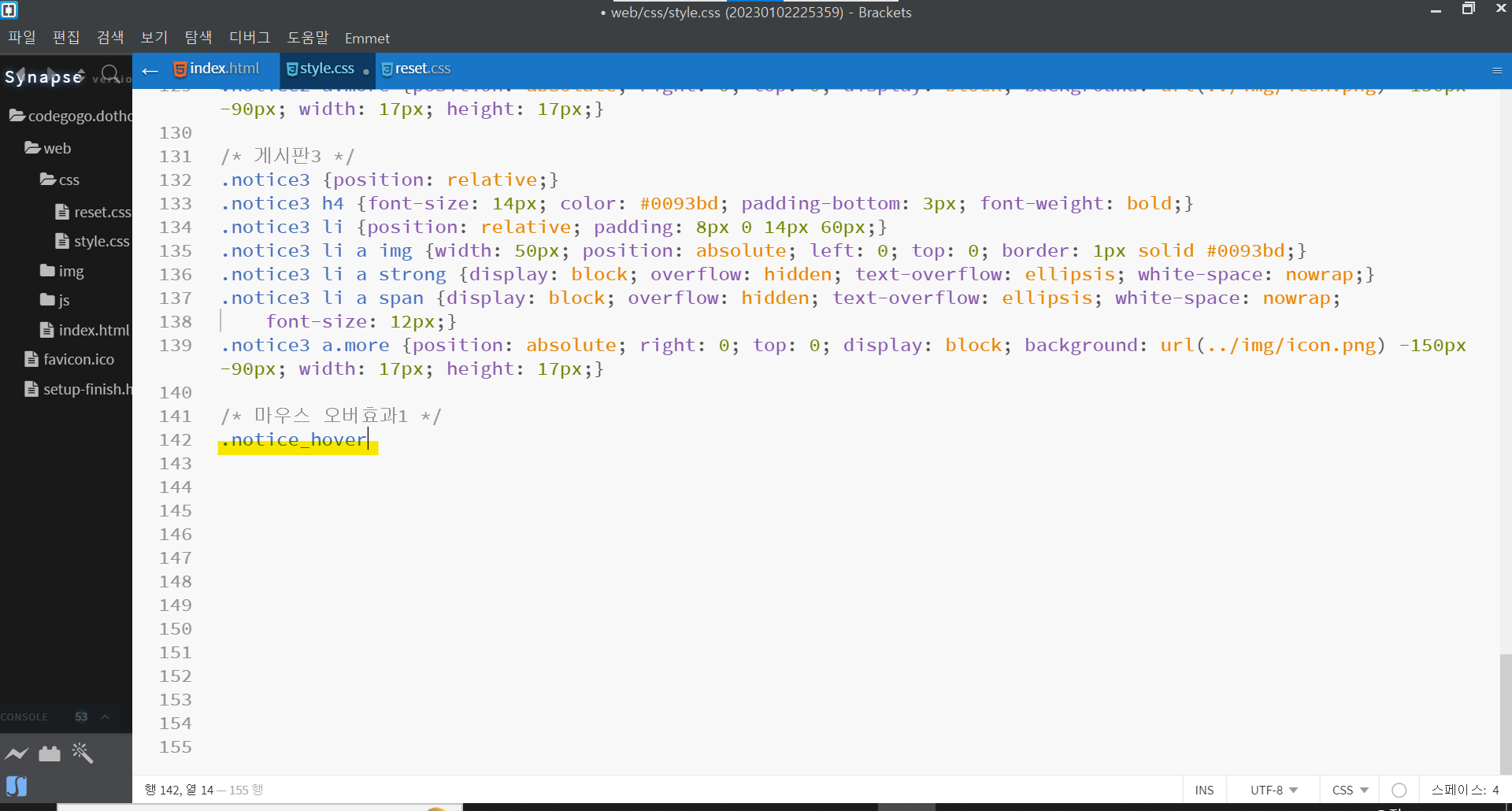
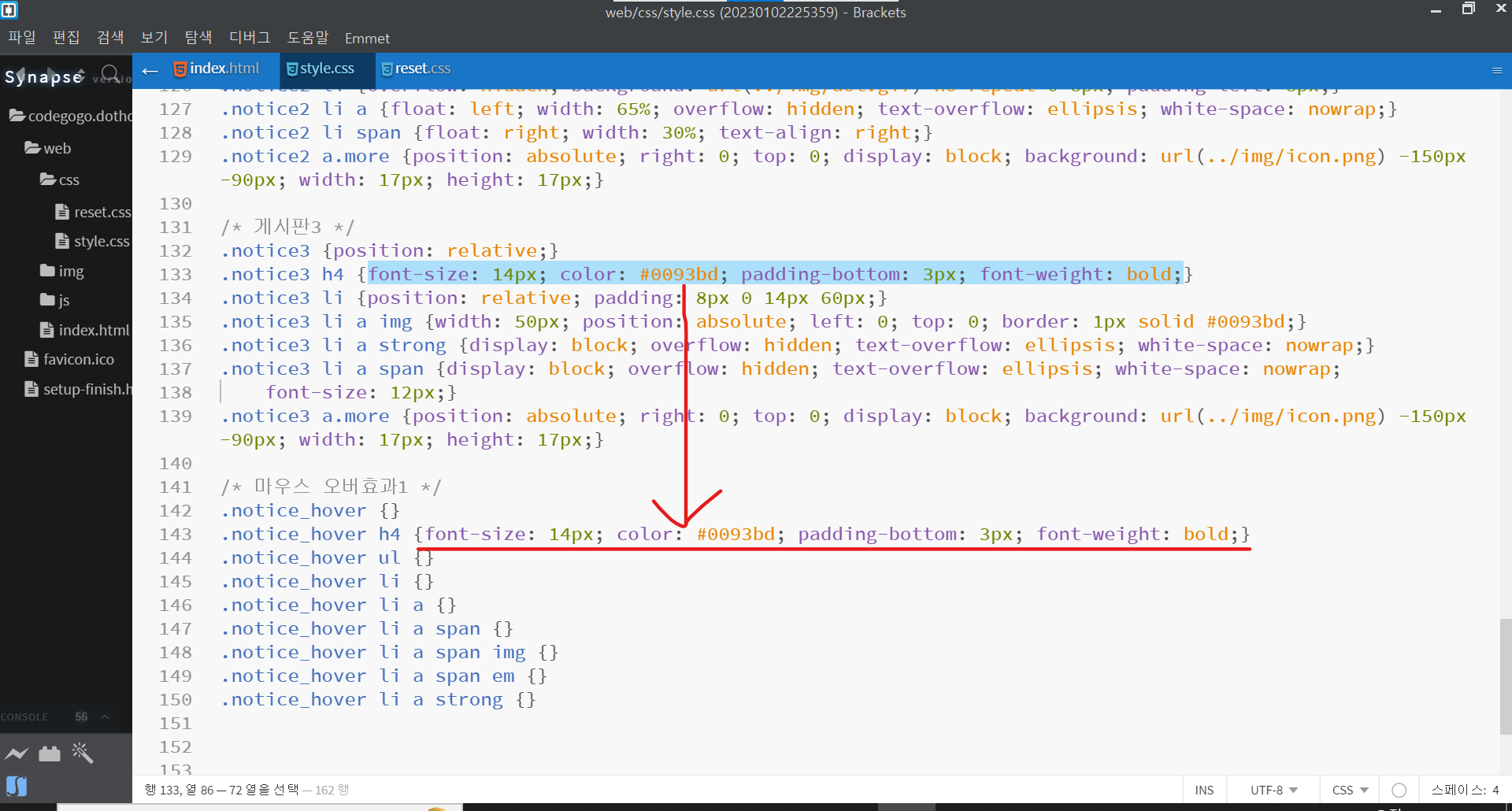
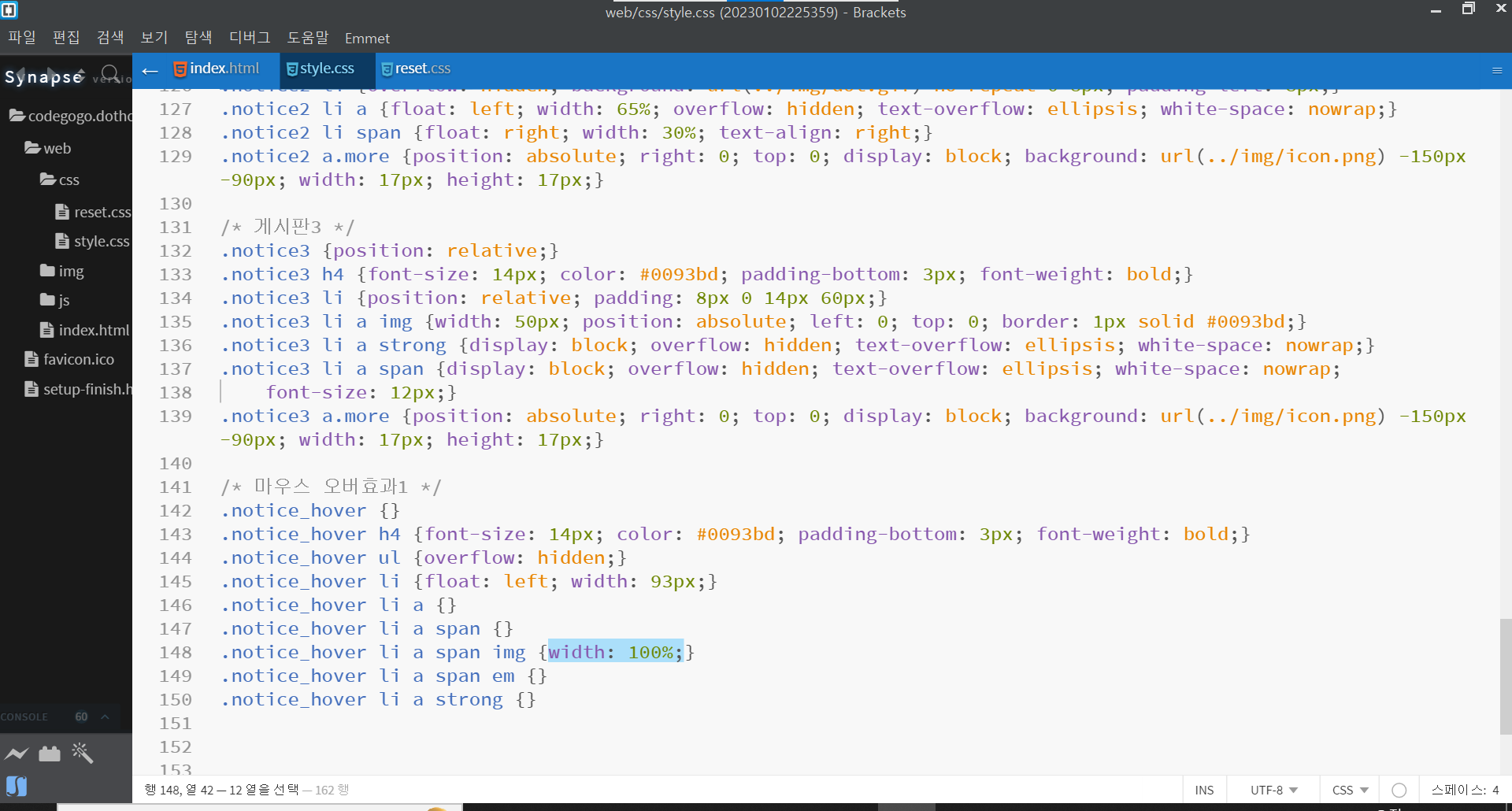
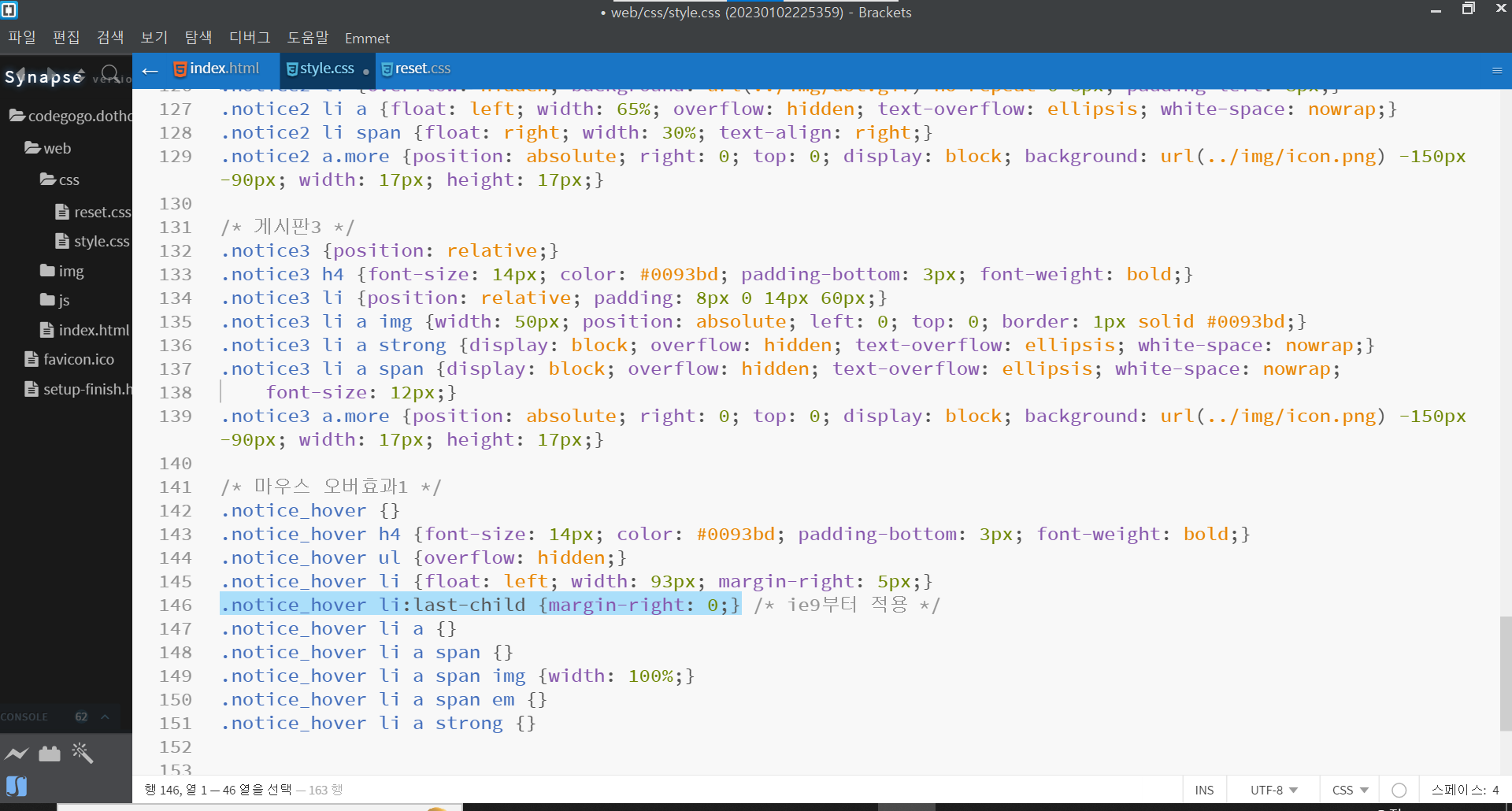
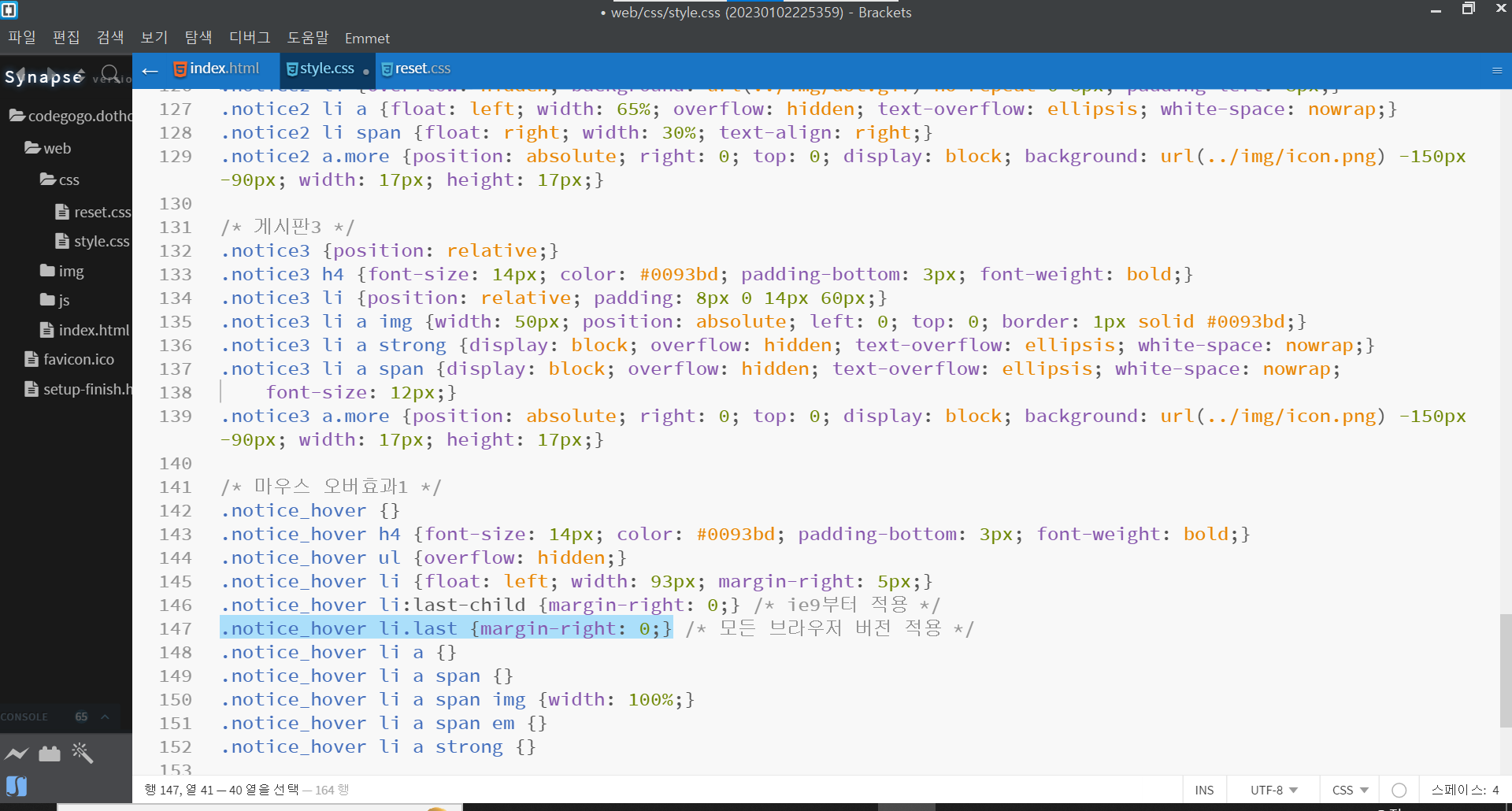
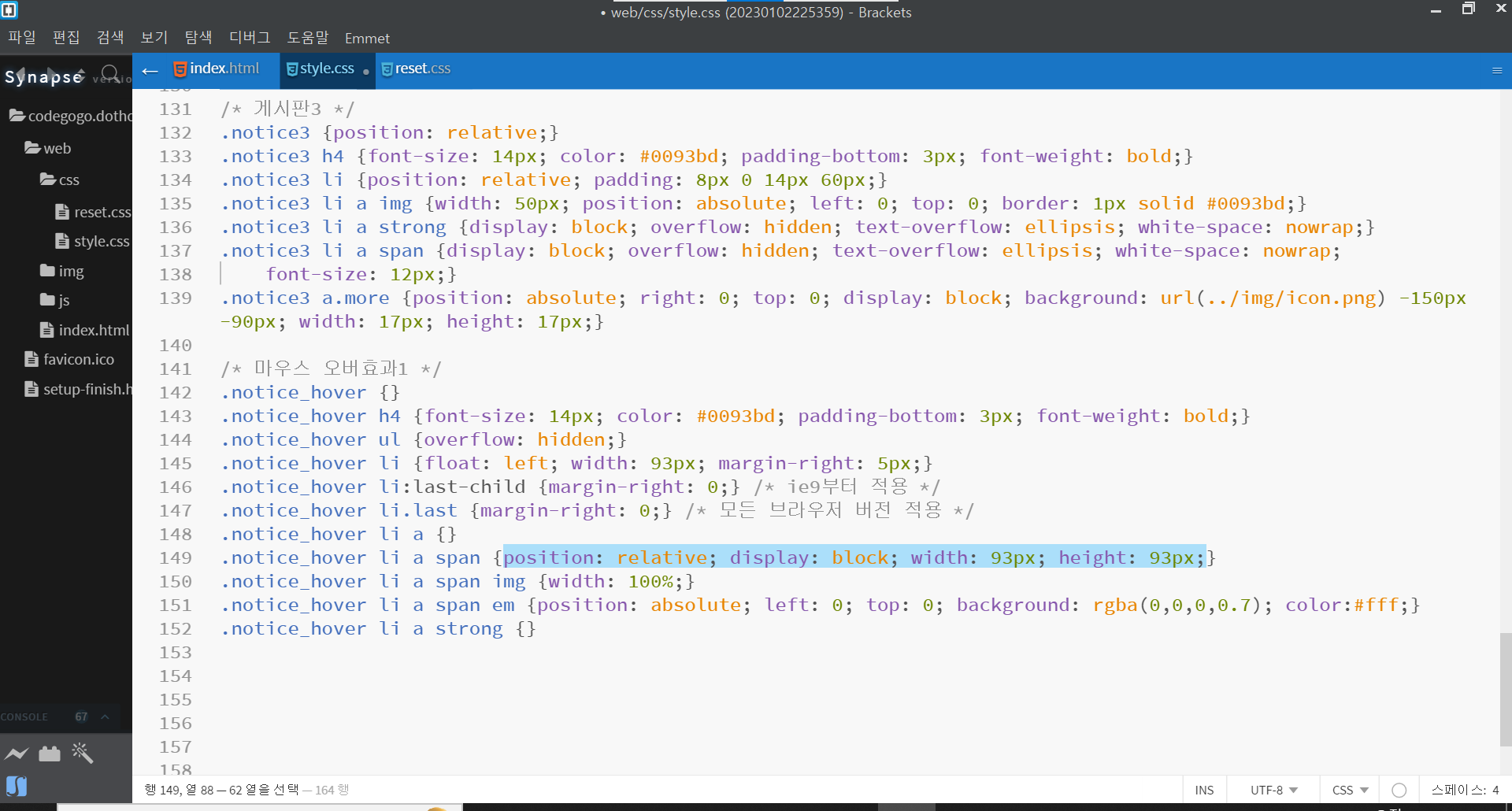
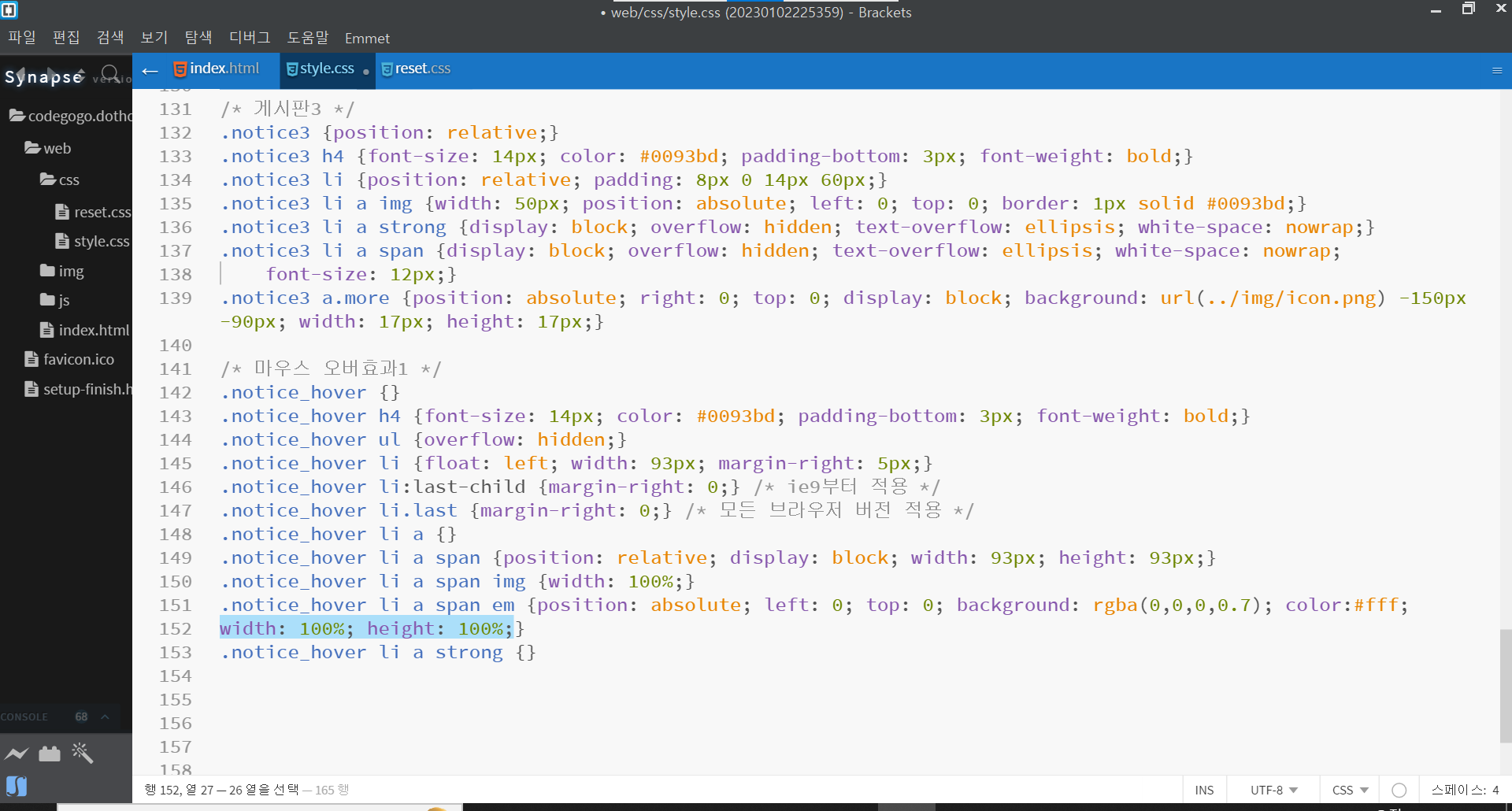
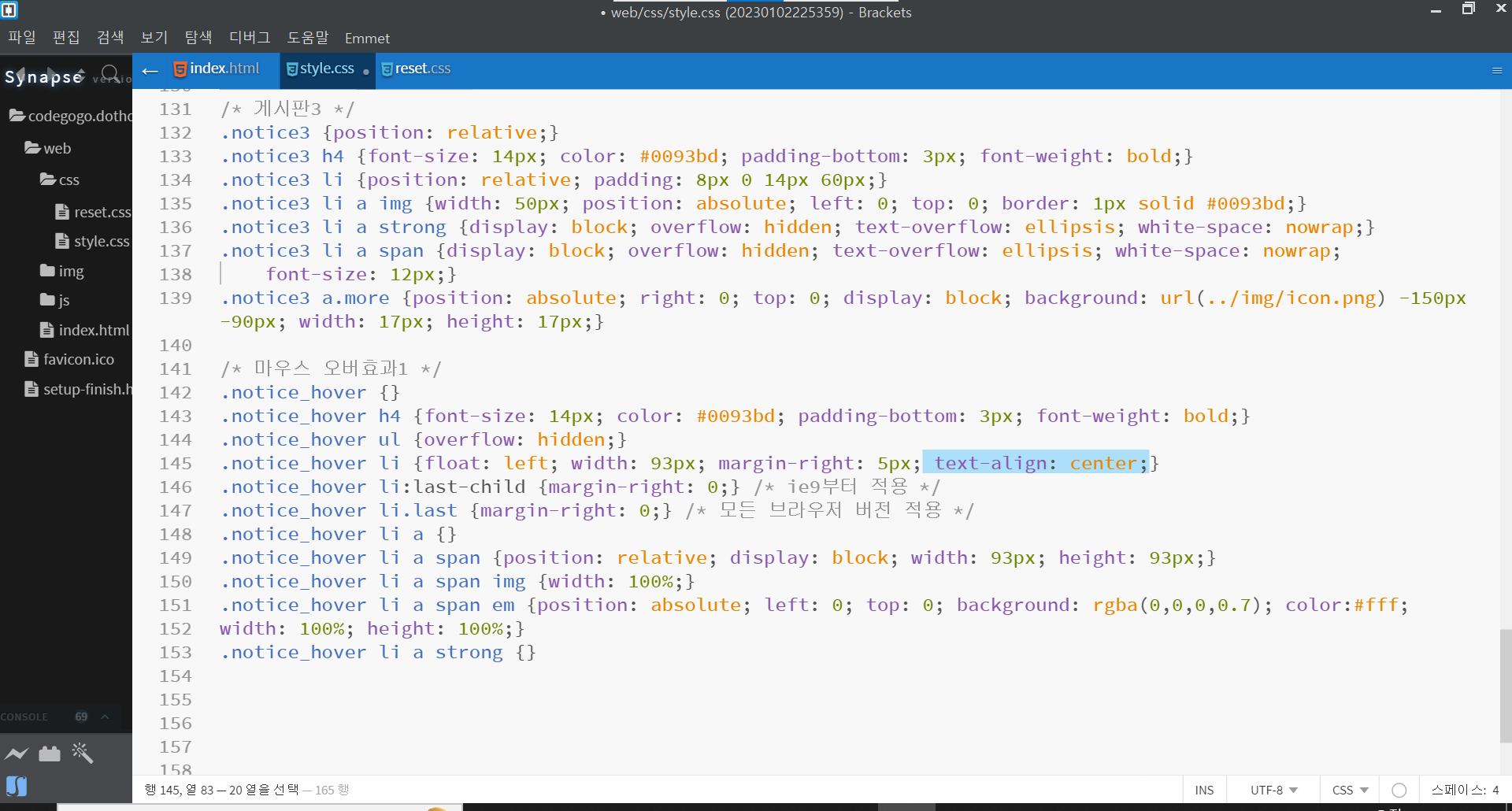
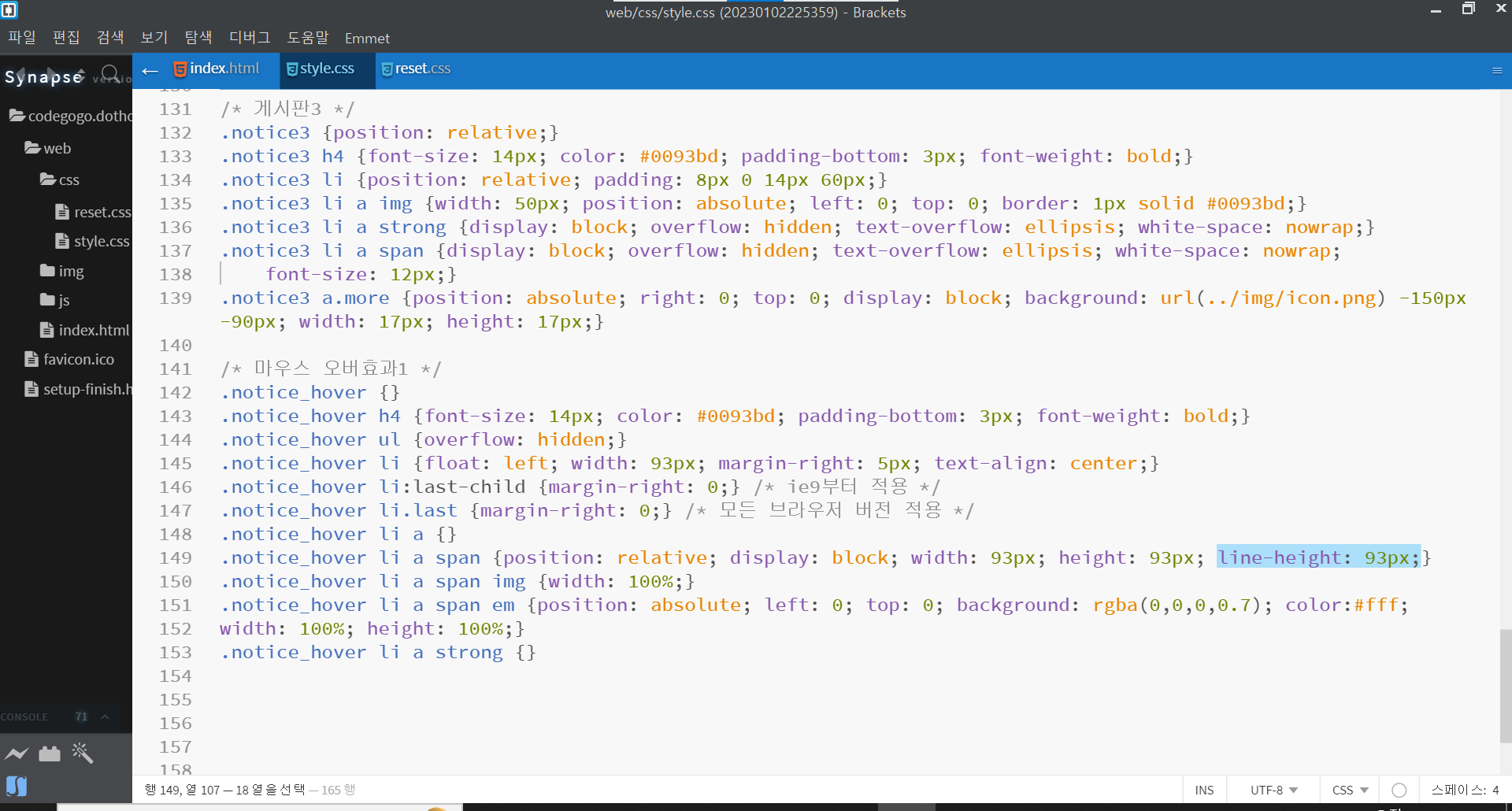
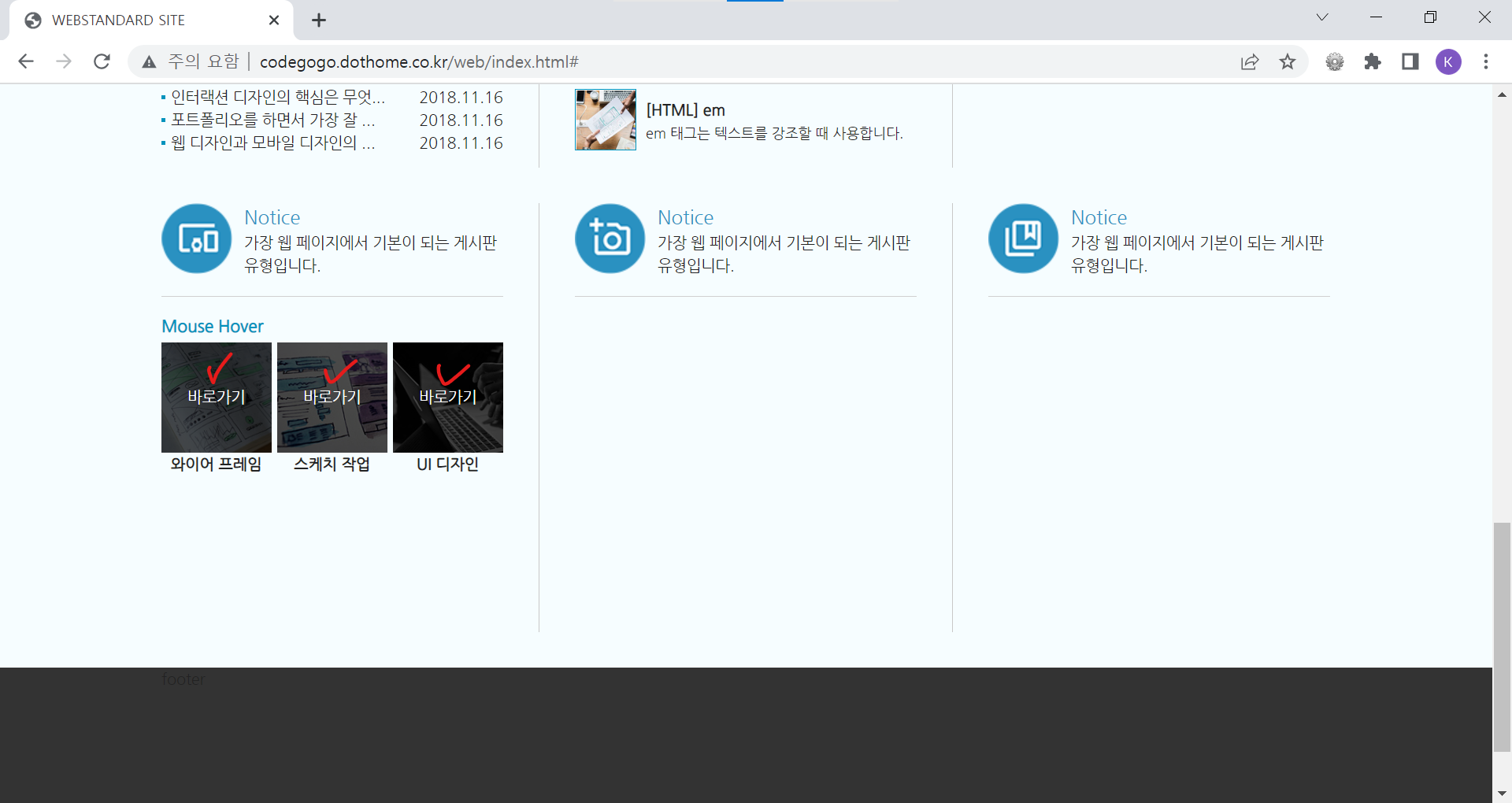
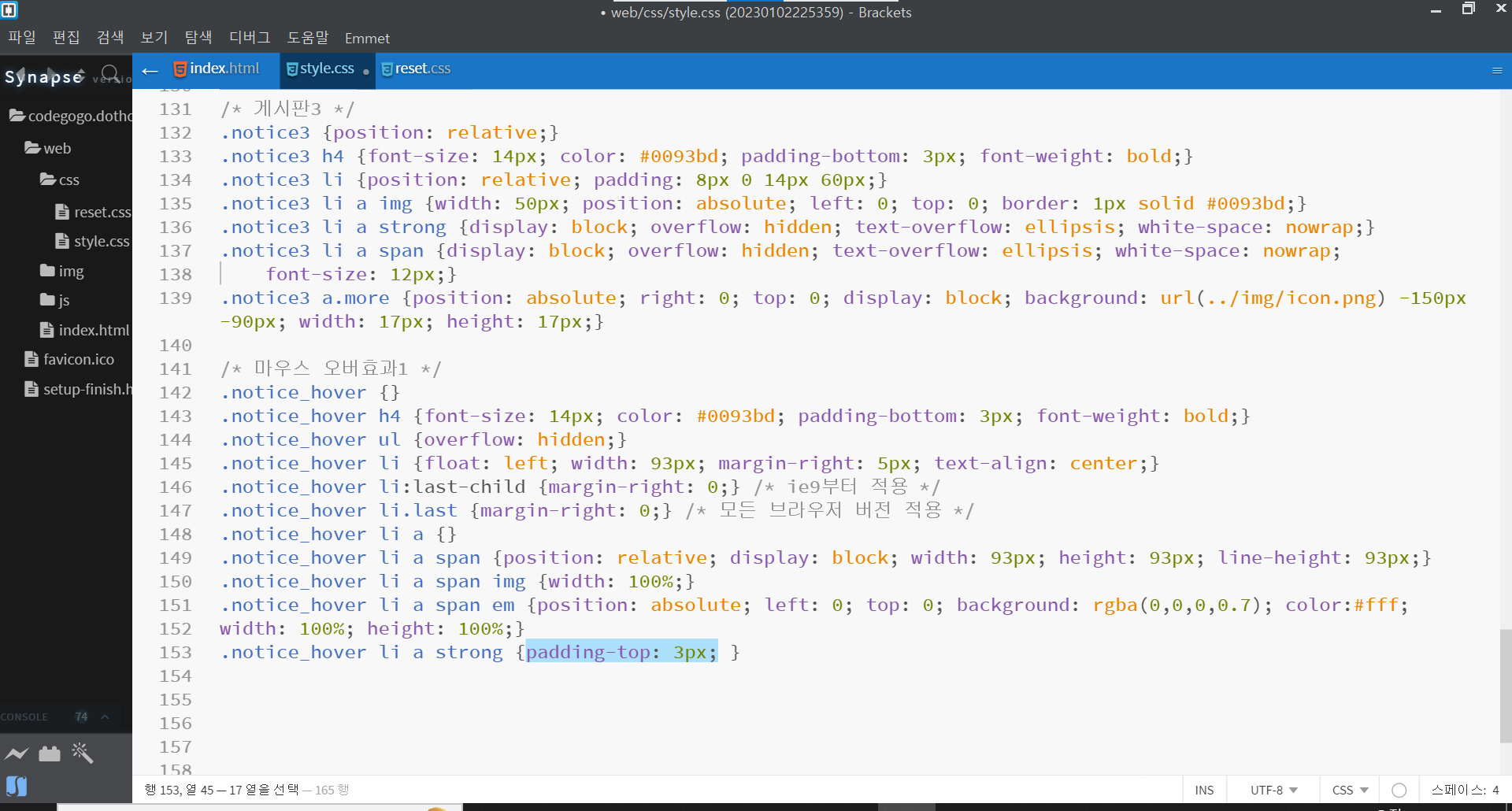
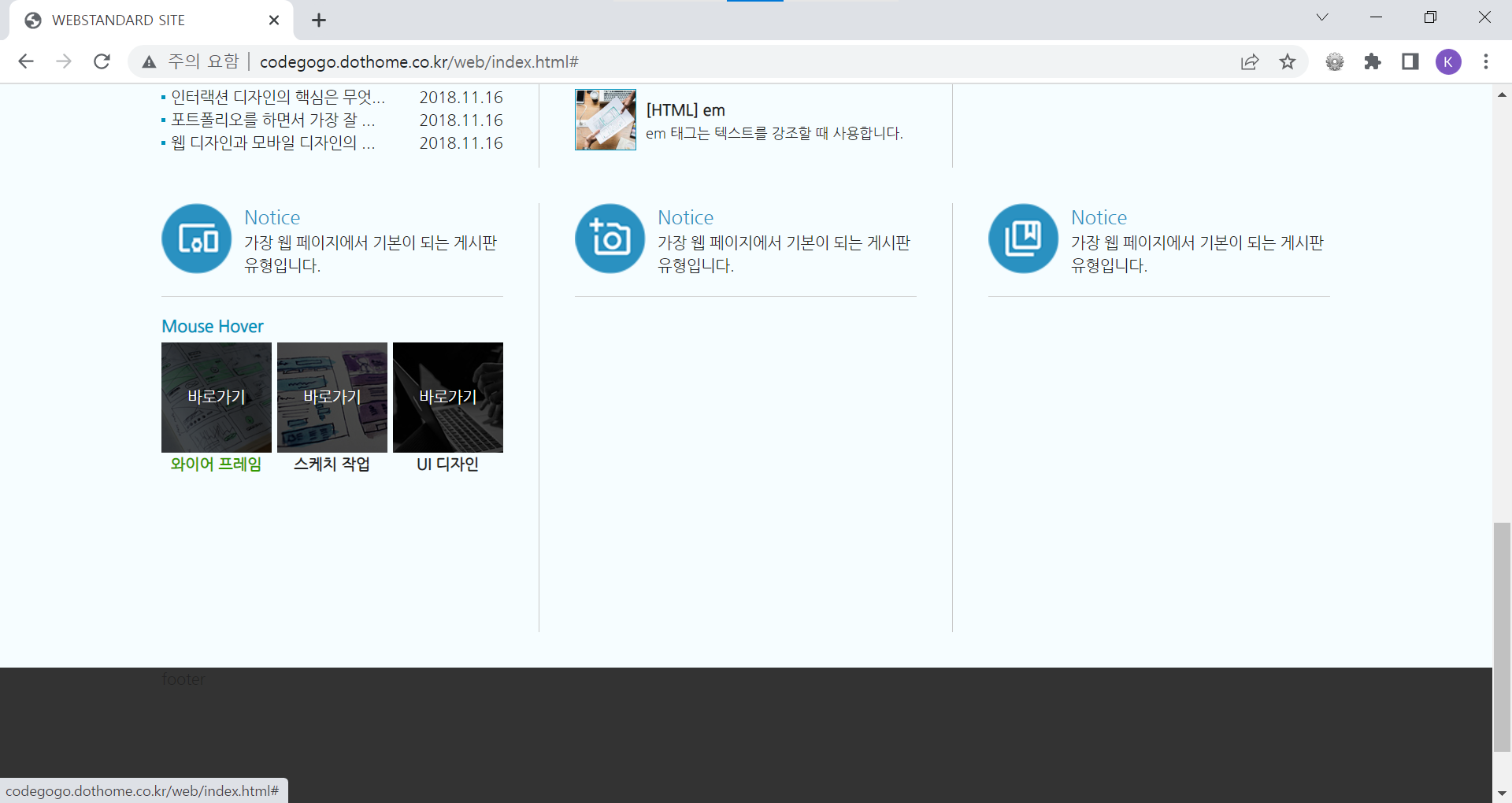
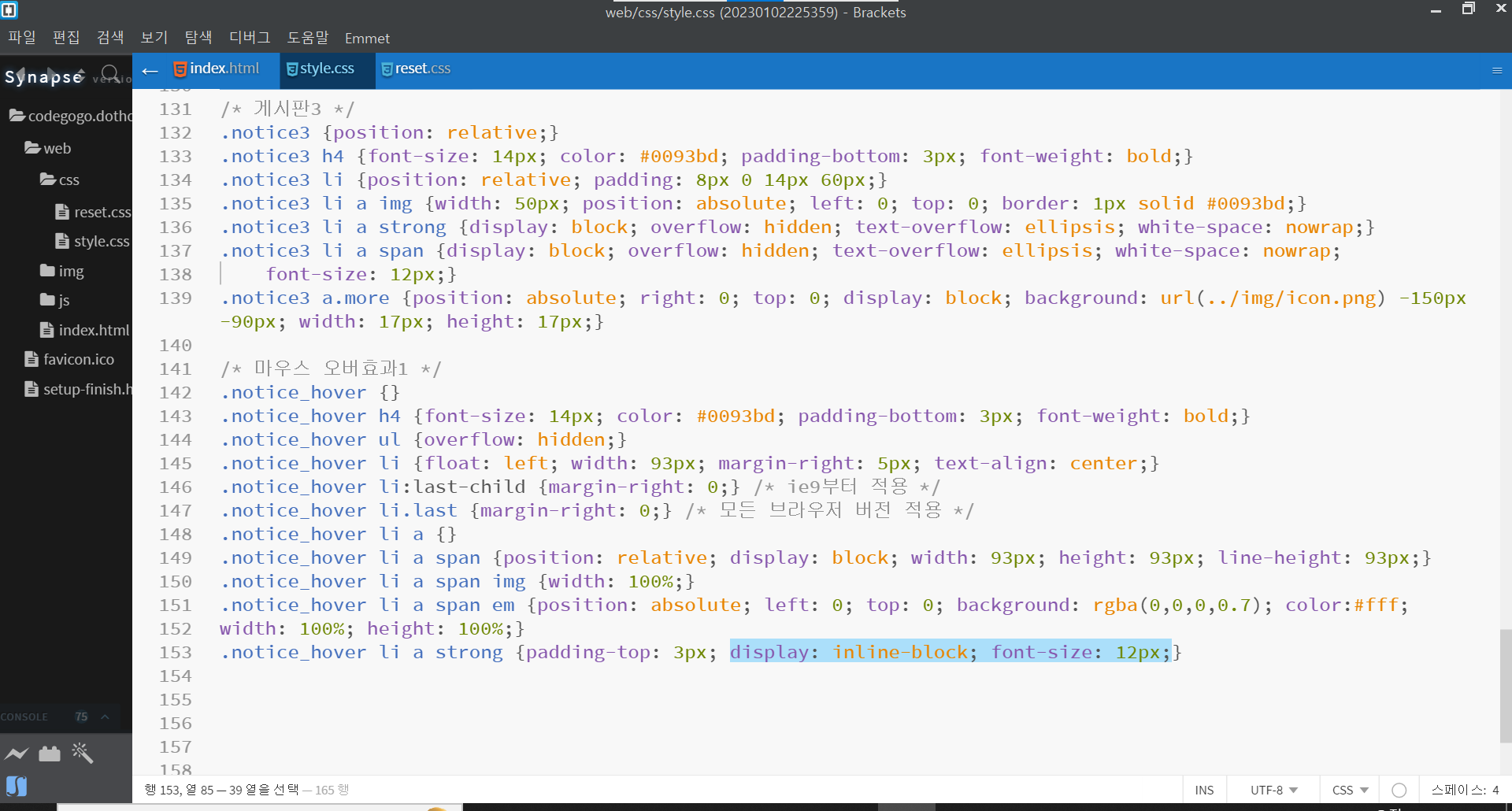
| @charset "utf-8"; /* 스킵 내비게이션 */ #skip {position: absolute;} #skip a {position: absolute; left: 0px; top: -35px; border: 1px solid #fff; color: #fff; background: #333; line-height: 30px; width: 160px; text-align: center;} #skip a:active, #skip a:focus {top: 0;} /* 레이아웃 */ #wrap {} #header {height: 325px; background: url(../img/header_bg.jpg) center top repeat-x } #contents {} #footer {height: 200px; background: #333;} /* 컨텐츠 레이아웃 */ #cont_nav {background-color: #f6fdff;} #cont_tit {background-color: #EAF7FD;} #cont_ban {background-color: #dceff7;} #cont_cont {background-color: #f6fdff;} /* 컨테이너 */ .container {width: 990px; margin: 0 auto; height: inherit; /* background: rgba(255,255,255,0.3);*/} /* 헤더 */ .header .header-menu {text-align: right;} .header .header-menu a {color: #fff; padding: 10px 0px 10px 13px; display: inline-block;} .header .header-menu a:hover {color: #666;} .header .header-tit {text-align: center;} .header .header-tit h1 {background-color: #4aa8d4; font-size: 28px; padding: 5px 20px 6px 20px; display: inline-block; color: #fff; margin-top: 40px; font-weight: normal; text-transform: uppercase;} .header .header-tit a { display: inline-block; background-color: #2698cd; font-size: 18px; color: #fff; padding: 5px 20px 6px 20px; margin-top: -5px;} .header .header-icon {text-align: center; margin-top: 30px;} .header .header-icon a {width: 60px; height: 60px; display: inline-block; background: url(../img/icon.png); margin: 0 3px;} .header .header-icon a.icon1 {background-position: 0 0;} .header .header-icon a.icon2 {background-position: 0 -60px;} .header .header-icon a.icon3 {background-position: 0 -120px;} .header .header-icon a.icon4 {background-position: 0 -180px;} .header .header-icon a.icon1:hover {background-position: -60px 0;} .header .header-icon a.icon2:hover {background-position: -60px -60px;} .header .header-icon a.icon3:hover {background-position: -60px -120px;} .header .header-icon a.icon4:hover {background-position: -60px -180px;} /* float: left로 인한 영역깨짐(height:0) 방지법 1. 깨지는 영역에 똑같이 float: left를 사용한다. (X) --> 모든 박스에 float: left를 사용하게 된다. 2. float의 성질을 차단하는 clear: both;를 사용한다. (X) --> 어떤 영역이 깨졌는지 찾기 어렵다. 2. float를 사용한 상위 박스한테 overflow: hidden을 사용한다. (O) --> 현재는 제일 많이 사용한다. 4. clearfix를 사용한다. (O) */ /* 전체 메뉴 */ .nav {overflow: hidden; padding: 30px 0;} .nav > div {float: left; width: 40%;} .nav > div:last-child {width: 20%;} /* ie9부터 사용가능 */ .nav > div.last {width: 20%;} .nav > div h3 {font-size: 18px; color:#25a2d0; margin-bottom: 4px;} .nav > div ol {overflow: hidden;} .nav > div ol li {float: left; width: 50%;} .nav > div.last ol li {width: 100%;} .nav > div ol li a:hover {text-decoration: underline;} /* 타이틀 */ .tit {position: relative;} .tit h2 {font-size: 40px; text-align: center; padding: 5px 0; letter-spacing: 2px; color: #2c94c4; font-family: 'Nanum Brush Script', cursive;} .tit .btn {position: absolute; top: 5px; right: 0; width: 60px; height: 60px; background: url(../img/icon.png) no-repeat 0 -600px;} /* 배너 */ .ban {position: relative; padding: 24px 0 20px;} .ban a.prev {position: absolute; left: -80px; top: 60px; width: 43px; height: 43px; background: url(../img/icon.png) no-repeat -150px 0;} .ban a.next {position: absolute; right: -80px; top: 60px; width: 43px; height: 43px; background: url(../img/icon.png) no-repeat -150px -43px;} .ban a.prev:hover {background-position: -193px 0;} .ban a.next:hover {background-position: -193px -43px;} .ban ul {overflow: hidden;} .ban ul li {float: left; width: 330px;} .ban ul li:last-child {text-align: right;} /* ie9부터 적용 */ .ban ul li:nth-child(2) {text-align: center;} /* ie9부터 적용 */ .ban ul li.ban_img1 {text-align: left;} .ban ul li.ban_img2 {text-align: center;} .ban ul li.ban_img3 {text-align: right;} .ban ul li img {border: 4px solid #dcdcdc;} .ban ul li img:hover {border-color: #98dcdc;} /* 컨텐츠 */ .cont {overflow: hidden; padding-top: 30px;} .cont .column {position: relative; float: left; width: 289px; height: 363px; margin: 0 30px 30px 0; padding-right: 30px;} .cont .col1 {border-right: 1px solid #c8c8c8;} .cont .col2 {border-right: 1px solid #c8c8c8;} .cont .col3 {margin-right: 0; padding-right: 0;} .cont .col4 {border-right: 1px solid #c8c8c8;} .cont .col5 {border-right: 1px solid #c8c8c8;} .cont .col6 {margin-right: 0; padding-right: 0;} .cont .column .ico_img {display: block; width: 60px; height: 60px; background: url(../img/icon.png) no-repeat; position: absolute; left: 0; top: 0;} .cont .column .ico_tit {padding-left: 70px; font-size: 16px; color: #2c94c4;} .cont .column .ico_desc {padding-left: 70px; border-bottom: 1px solid #d0d0d0; padding-bottom: 15px; margin-bottom: 15px;} .cont .col1 .ico_img {background-position: 0px -240px;} .cont .col2 .ico_img {background-position: 0px -300px;} .cont .col3 .ico_img {background-position: 0px -360px;} .cont .col4 .ico_img {background-position: 0px -420px;} .cont .col5 .ico_img {background-position: 0px -480px;} .cont .col6 .ico_img {background-position: 0px -540px;} .cont .col1 .ico_img:hover {background-position: -60px -240px;} .cont .col2 .ico_img:hover {background-position: -60px -300px;} .cont .col3 .ico_img:hover {background-position: -60px -360px;} .cont .col4 .ico_img:hover {background-position: -60px -420px;} .cont .col5 .ico_img:hover {background-position: -60px -480px;} .cont .col6 .ico_img:hover {background-position: -60px -540px;} /* 게시판 */ .notice {position: relative;} .notice h4 {font-size: 14px; color: #0093bd; padding-bottom: 3px; font-weight: bold;} .notice ul li {overflow: hidden; text-overflow: ellipsis; white-space: nowrap; background: url(../img/dot.gif) no-repeat 0 8px; padding-left: 8px;} .notice ul li a {font-size: 12px;} .notice a.more {position: absolute; right: 0; top: 0; display: block; background: url(../img/icon.png) -150px -90px; width: 17px; height: 17px;} /* 게시판2 */ .notice2 {position: relative; margin-top: 15px;} .notice2 h4 {font-size: 14px; color: #0093bd; padding-bottom: 3px; font-weight: bold;} .notice2 li {overflow: hidden; background: url(../img/dot.gif) no-repeat 0 8px; padding-left: 8px;} .notice2 li a {float: left; width: 65%; overflow: hidden; text-overflow: ellipsis; white-space: nowrap;} .notice2 li span {float: right; width: 30%; text-align: right;} .notice2 a.more {position: absolute; right: 0; top: 0; display: block; background: url(../img/icon.png) -150px -90px; width: 17px; height: 17px;} /* 게시판3 */ .notice3 {position: relative;} .notice3 h4 {font-size: 14px; color: #0093bd; padding-bottom: 3px; font-weight: bold;} .notice3 li {position: relative; padding: 8px 0 14px 60px;} .notice3 li a img {width: 50px; position: absolute; left: 0; top: 0; border: 1px solid #0093bd;} .notice3 li a strong {display: block; overflow: hidden; text-overflow: ellipsis; white-space: nowrap;} .notice3 li a span {display: block; overflow: hidden; text-overflow: ellipsis; white-space: nowrap; font-size: 12px;} .notice3 a.more {position: absolute; right: 0; top: 0; display: block; background: url(../img/icon.png) -150px -90px; width: 17px; height: 17px;} /* 마우스 오버효과1 */ .notice_hover h4 {font-size: 14px; color: #0093bd; padding-bottom: 3px; font-weight: bold;} .notice_hover ul {overflow: hidden;} .notice_hover li {float: left; width: 93px; margin-right: 5px; text-align: center;} .notice_hover li:last-child {margin-right: 0;} /* ie9부터 적용 */ .notice_hover li.last {margin-right: 0;} /* 모든 브라우저 버전 적용 */ .notice_hover li a span {position: relative; display: block; width: 93px; height: 93px; line-height: 93px;} .notice_hover li a span img {width: 100%;} .notice_hover li a span em {visibility: hidden; position: absolute; left: 0; top: 0; background: rgba(0,0,0,0.7); color:#fff; width: 100%; height: 100%;} .notice_hover li a span:hover em {visibility: visible;} .notice_hover li a strong {padding-top: 3px; display: inline-block; font-size: 12px;} |
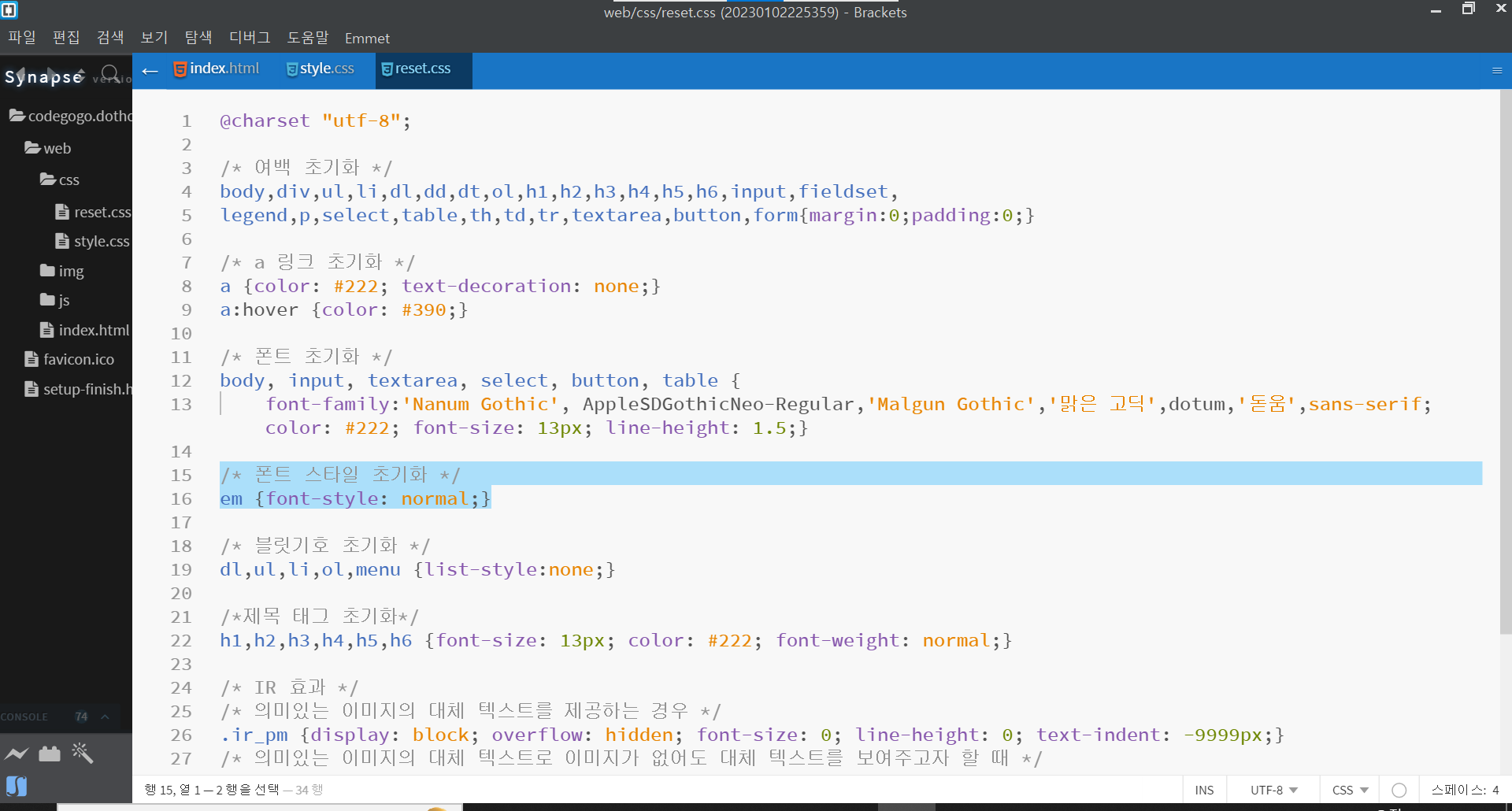
| reset.css |
| @charset "utf-8"; /* 여백 초기화 */ body,div,ul,li,dl,dd,dt,ol,h1,h2,h3,h4,h5,h6,input,fieldset, legend,p,select,table,th,td,tr,textarea,button,form{margin:0;padding:0;} /* a 링크 초기화 */ a {color: #222; text-decoration: none;} a:hover {color: #390;} /* 폰트 초기화 */ body, input, textarea, select, button, table { font-family:'Nanum Gothic', AppleSDGothicNeo-Regular,'Malgun Gothic','맑은 고딕',dotum,'돋움',sans-serif; color: #222; font-size: 13px; line-height: 1.5;} /* 폰트 스타일 초기화 */ em {font-style: normal;} /* 블릿기호 초기화 */ dl,ul,li,ol,menu {list-style:none;} /*제목 태그 초기화*/ h1,h2,h3,h4,h5,h6 {font-size: 13px; color: #222; font-weight: normal;} /* IR 효과 */ /* 의미있는 이미지의 대체 텍스트를 제공하는 경우 */ .ir_pm {display: block; overflow: hidden; font-size: 0; line-height: 0; text-indent: -9999px;} /* 의미있는 이미지의 대체 텍스트로 이미지가 없어도 대체 텍스트를 보여주고자 할 때 */ .ir_wa {display: block; overflow: hidden; position: relative; z-index: -1; width: 100%; height: 100%;} /* 대체 텍스트가 아닌 접근성을 위한 숨김 텍스트를 제공할 때 */ .ir_su {overflow: hidden; position:absolute; width:0; height:0; line-height:0; text-indent:-9999px;} |
교육강좌 링크
'웹 표준 사이트 만들기 > 이벤트 및 추가기능 실습' 카테고리의 다른 글
| 마우스 오버 효과 2 (5) | 2023.01.03 |
|---|
